For mobile detailers
Software built for mobile detailing
I built Service VIN to run a shop from where the work happens — for you, that's the driveway. Run the whole day from your phone: the schedule, the checklist, guided photos and the clock, with a route that isn't a guess. Take bookings and deposits around the clock, quote with the margin built in, and pull away paid instead of chasing the money later.
14-day free trial of every feature. No credit card required.
The short answer
What is mobile detailing software, and what should a mobile operator expect from it?
- Mobile detailing software runs the day from a phone: the route for every van, the job in front of the tech, 24/7 booking with deposits, the quote, the invoice and the follow-up.
- Routing and dispatch matter more than they do for a fixed shop — a badly ordered day costs you a whole job in drive time — so the calendar has to think in vans and territories, not bays.
- Service VIN still costs the work honestly: each quote line carries a live margin from real material cost, so a driveway package priced on the spot is a decision, not a guess.
- Payment closes on site — a deposit at booking, the balance on the invoice before you pull away — and an AI calling copilot plus draft-first texting agents cover the calls you cannot take mid-job.
- Pricing is flat per shop — Essentials $79, Growth $199 and Command $399 in US dollars, no per-seat charge — with a 14-day free trial of every feature and no credit card to start.
Bottom line: For a mobile operation the software has to survive a driveway with one bar of signal: book, quote, route and get paid from the phone, with the margin visible while you are still standing there.
The day runs from your phone
Everything the job needs, in the driveway
A mobile day isn't a desk job, so the software isn't either. The installer app carries the schedule, the customer and the checklist, the dispatcher hands each van a real route, and the before/after photos are captured on the same phone that runs the job.
The whole day in your pocket
An installer app that installs straight to your crew's home screen — iOS, Android or desktop — puts the day's schedule, the customer, the job checklist and the clock on their phone, so your van in a client's driveway runs on the same system a fixed studio does on the shop floor.
A route that isn't a guess
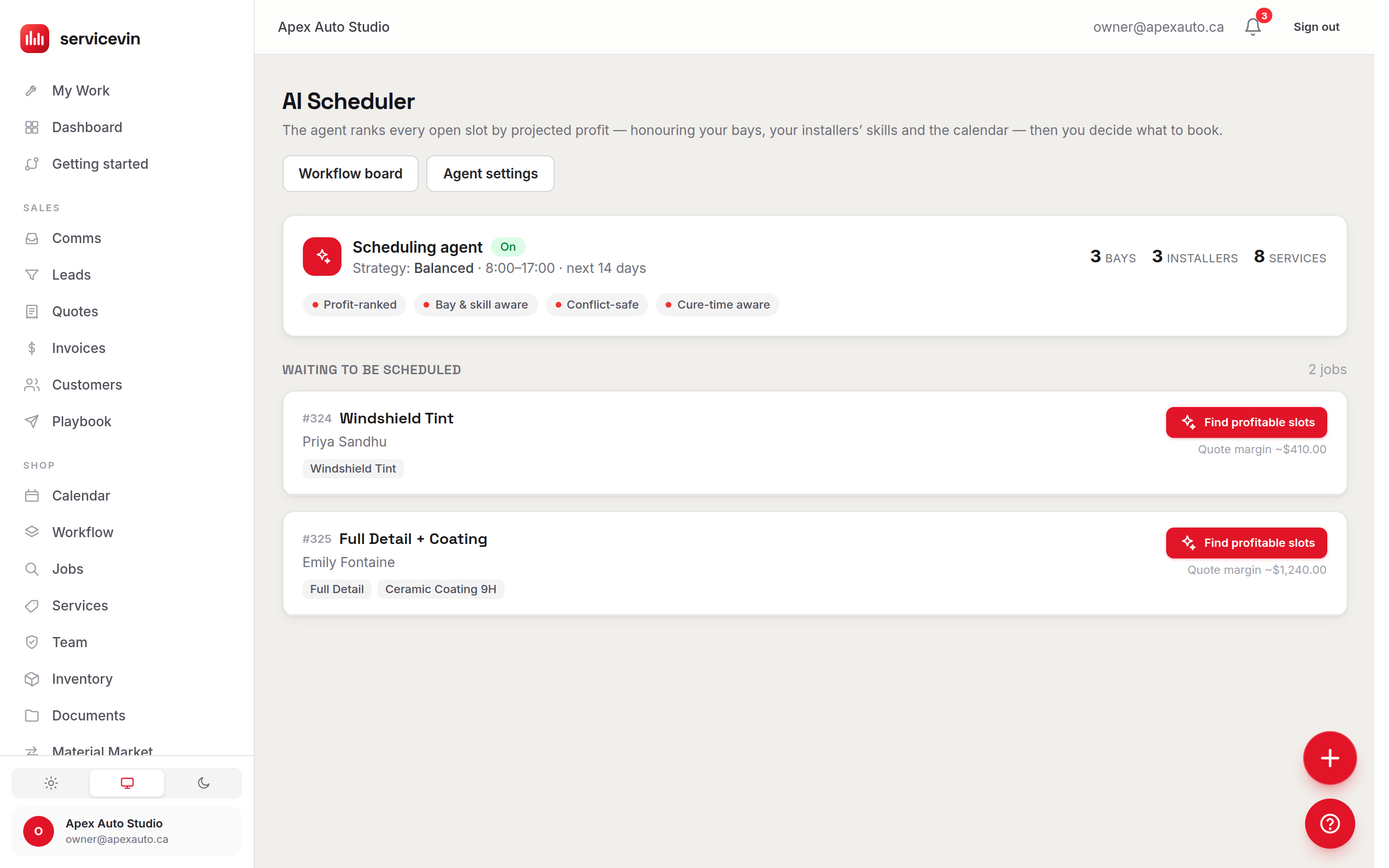
The dispatcher assigns jobs to eligible workers, moves them on a live board, and hands your crew a distance-optimized run of the day with a one-tap maps link — so the van spends the day detailing, not doubling back across town.
Guided before/after photos
Before, after, defects and a VIN shot are each a big tile that opens the camera, and the VIN photo reads the plate to update the customer's vehicle — proof of the work captured on the same phone that runs the job.
Illustrative — a tighter, distance-optimized route fits more stops into the same day.
| Item | Manual routing (/day) | Map-view dispatch (/day) |
|---|---|---|
| Stops completed | 5/day | 7/day |
Booked while you drive
Fill the calendar without stopping the van
The bookings and the leads don't wait for you to get back to a desk. A 24/7 booking storefront takes deposits around the clock, every message lands in one shared inbox, and an AI team answers the new lead the moment it arrives.
Booked 24/7, deposit already down
A branded storefront takes appointments and deposits around the clock, so the 11pm shopper reserves a slot instead of texting the shop across town — and shows up, because the deposit is already paid.
One inbox for every lead
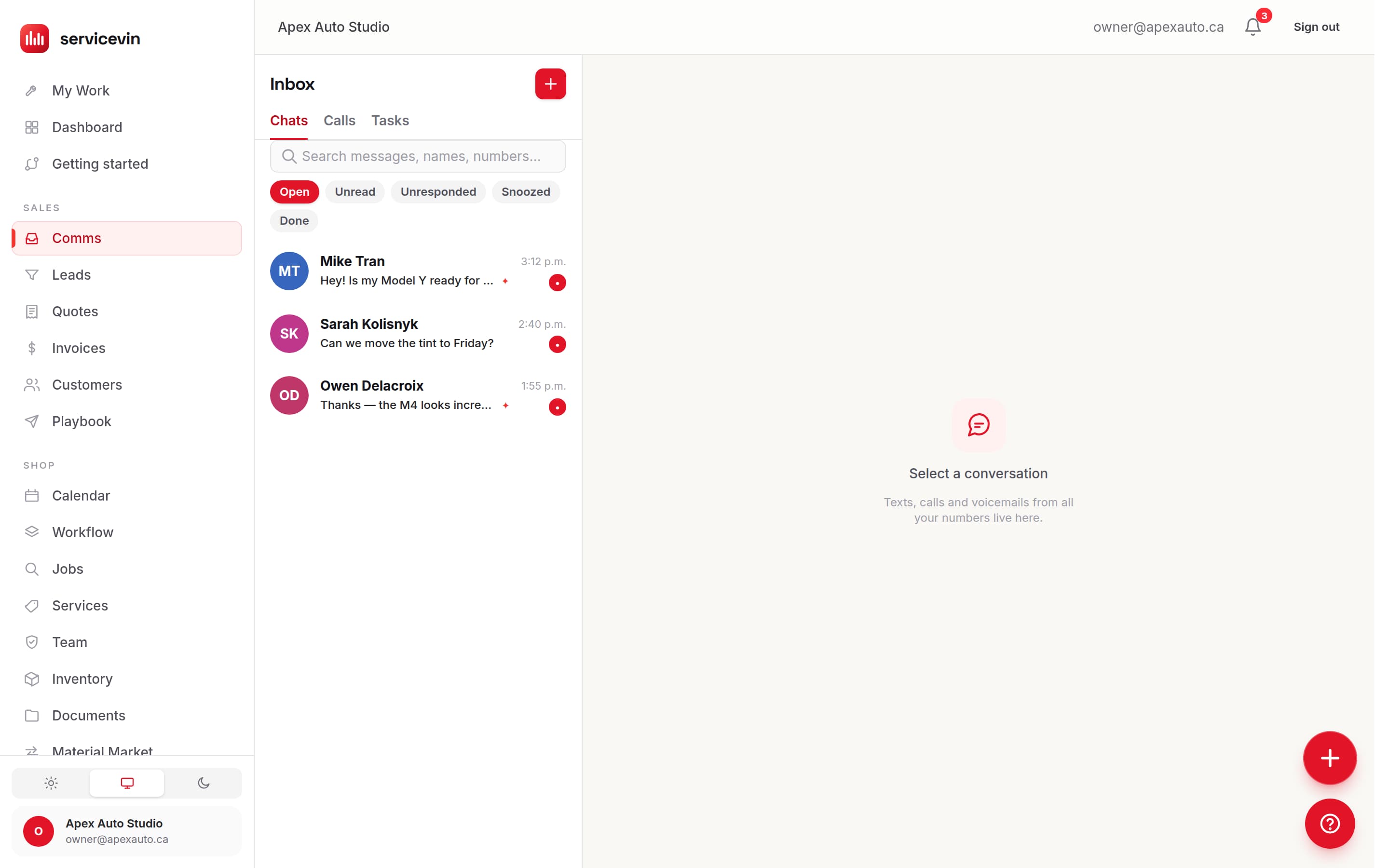
Calls, texts, web-form inquiries and booking requests land in a single shared inbox tied to the customer record, with the full history attached — so a message never gets buried in a group chat or a second phone.
An AI team that answers first
Lead-responder and missed-call agents reply the moment a lead lands while you're gloved-up under a car, and quote-follow-up and install-reminder agents chase the ones that went quiet — draft-first, with quiet hours enforced in code.
Paid before you pull away
Quote, invoice and get paid on the spot
The job ends in the driveway, and so should the paperwork. Build a live-margin quote costed from your real material cost, take the balance on card against the deposit you already collected, and file every photo and warranty to the vehicle's VIN — on the same record your office is looking at.
Quote with the margin built in
Build the quote from your service menu and add-ons; each line is costed from your real material cost, so the profit margin updates live as you drop in a ceramic package or a two-stage correction. You know the job pays before you send it.
Paid in the driveway
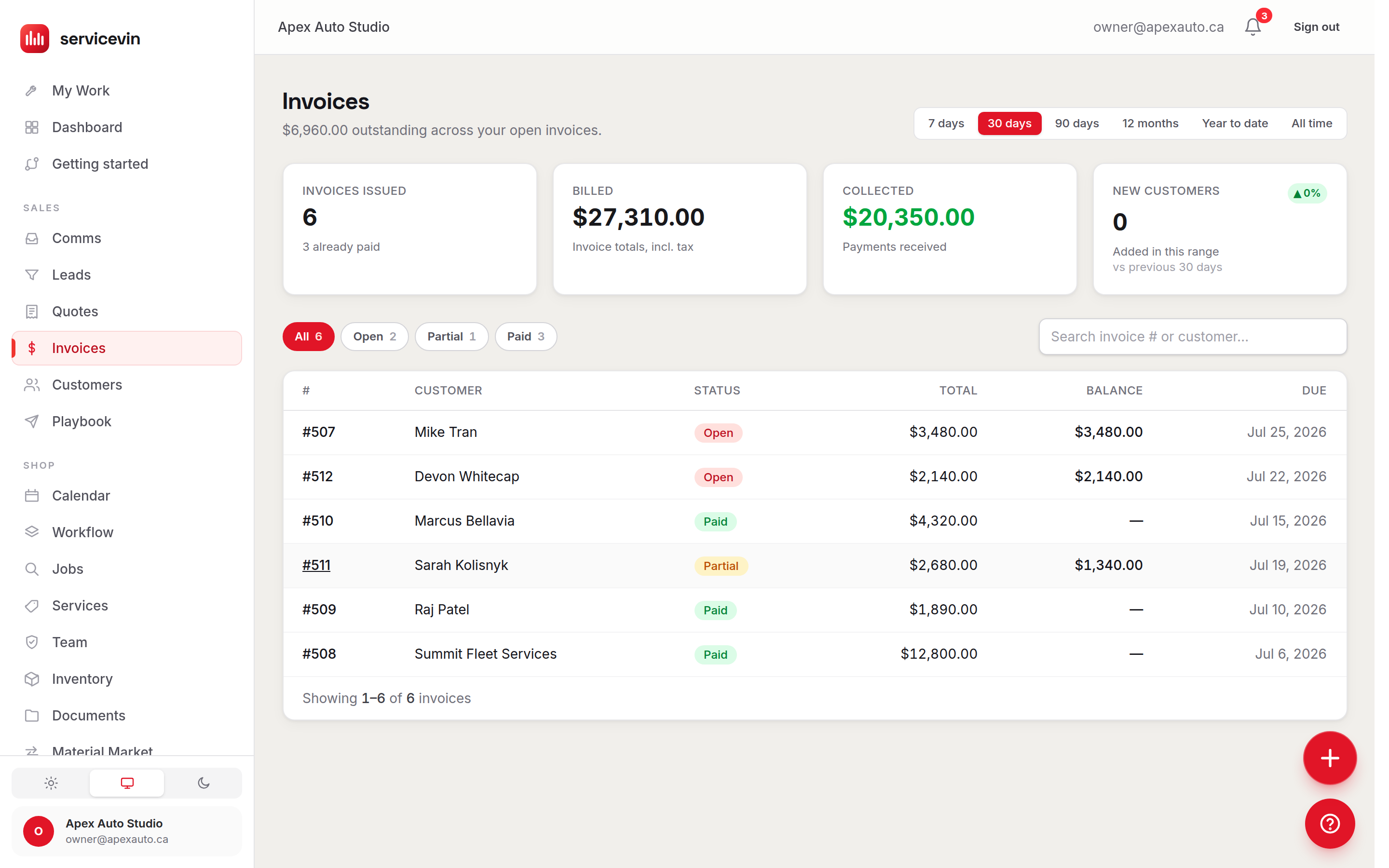
Turn a finished job into an invoice and take the balance on card through Stripe or Square — often against a deposit you already collected at booking — so you pull away paid instead of chasing the money later.
Everything filed to the VIN
Scan the VIN to build the vehicle's garage, then keep its service history, coating warranties and before/after photos against it. Every job, photo and payment is saved to the same record your office sees.
Inside Service VIN
Run the route from your phone
Dispatch, deposits and payment — the mobile day, from the first booking to money in the account.
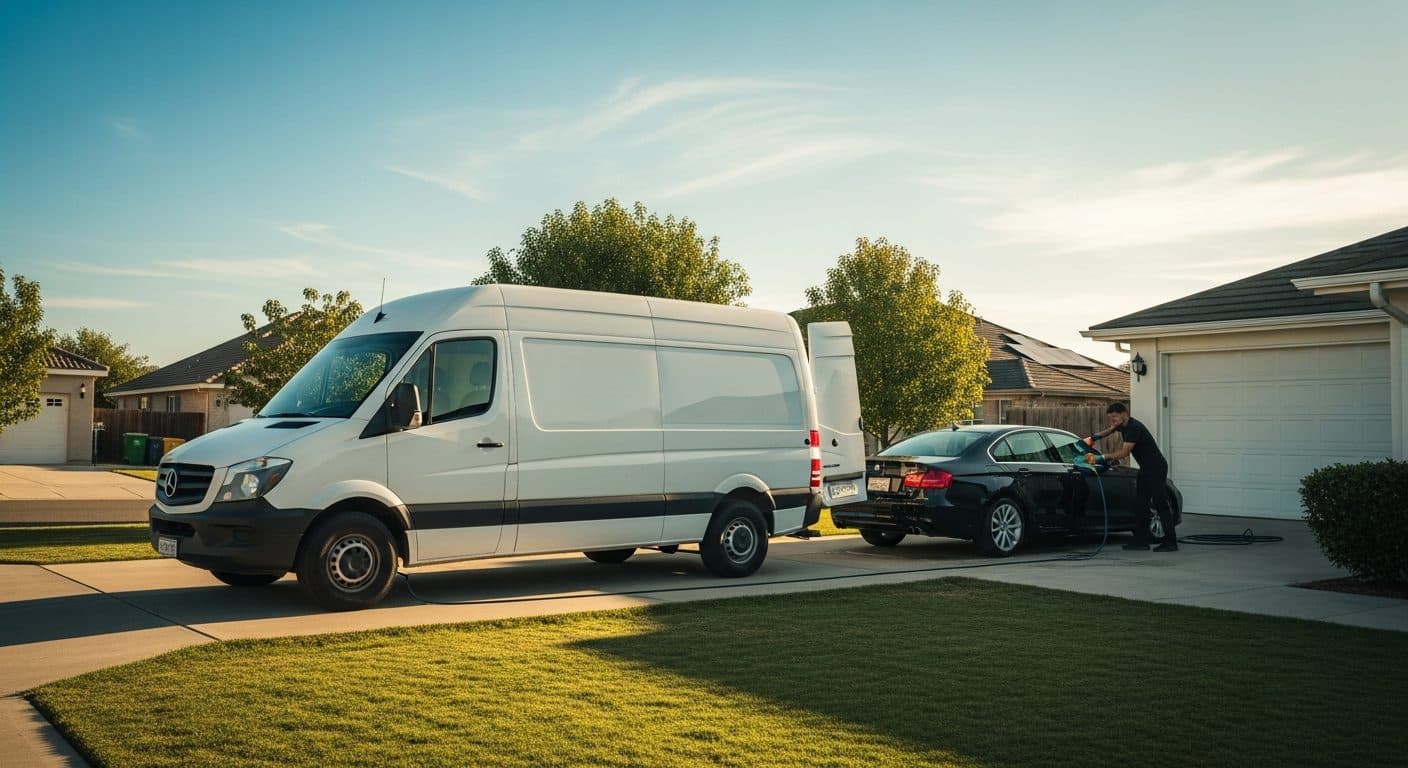
Built for the work
Your shop travels with you.
Dispatch, deposits and driveway payments from your phone — the back office rides shotgun.
Why Service VIN
Built for the way a mobile shop actually works
We're all installers before we're business owners — most of a mobile day goes to the detail, not the back office. These are the four things a mobile crew needs that a plain customer list can't do.
Built for crews on the road
The schedule, the customer, the checklist and the clock live on the phone, and dispatch hands each van a real route — the mobile day is first-class here, not a desktop tool squinted at from a driveway.
An AI team, not one AI button
A calling copilot plus lead-response, quote-follow-up, missed-call and review agents — draft-first, with opt-outs and quiet hours enforced in code. The follow-up that used to wait for a spare minute now happens on time.
One system, not five apps
Booking, CRM, quoting, invoicing, photos and the crew's pay clock run in one place instead of a booking app, a spreadsheet, a payment terminal and a group chat that never quite agree with each other.
Flat pricing, no per-seat charge
Add detailers and a mobile crew without watching the bill climb — one flat plan for the whole business. See the tiers on the pricing page.
Start smaller
The call you missed is the job you lost.
Every missed call answered in seconds. The quote you promised, drafted before you hang up. Booked straight into your calendar.
It answers from your real services, your real prices and your real calendar — and writes the booking into them. No migration, no data to move — it runs beside whatever you use today.
Why shops switch
Trade-specific software vs a generic tool
Generic field-service tools handle a route well. What they do not handle is the vehicle, the coating tier and the material a detailing package actually burns.
| What the software has to know | Service VIN | Generic field-service or repair software |
|---|---|---|
| How a job gets quoted | Yes: Quoting by package with travel and service-area rules on top, with a live margin costed from real material cost | Partly: Line items or a flat rate, with no notion of the chemicals and consumables each van carries1 |
| What the material ledger knows | Yes: Chemicals and consumables drawn down per job, with real cost flowing into COGS | No: Parts and products counted by the each — a roll is one line, not the feet you cut1 |
| The vehicle itself | Yes: A VIN-scan garage holding every vehicle, warranty and past job | No: A customer and an address; the vehicle is free text on the job1 |
| Scheduling the work | Yes: Vans, techs and routes on one calendar, with double-booking blocked in the database | Partly: Appointments and crews, with no bay or install position to protect1 |
| Warranty and documentation | Yes: Service history, coating warranties and before/after photos filed against the vehicle | Partly: Attachments on a job record1 |
| Who answers when the shop is busy | Yes: AI calling copilot plus draft-first texting agents, included in the plan | Partly: Scheduled reminders, or an AI receptionist metered as a paid add-on1 |
Sources & notes
Facts checked
- 1.This table compares Service VIN with the CATEGORY of software built for a different trade — home-services field management or general auto repair — not with any one vendor. The named head-to-heads live on the comparison pages, and each one dates and sources every claim it makes about a competitor.
- 2.The Service VIN column describes shipped features of this product as of August 2026.
Questions
Mobile detailing software, answered
What is mobile detailing software?
Mobile detailing software runs a come-to-the-customer detailing business from one login instead of a stack of disconnected apps. Service VIN captures every lead in one inbox, quotes a job with live margin, takes bookings and deposits 24/7, runs the day from a phone app with the schedule and checklist, hands the crew a route, invoices and takes payment on the spot, and stores photos and warranties against each vehicle — so a first call becomes a booked driveway visit and a paid invoice, run from one login instead of four.
Does it work in the field, away from the shop?
Yes. The whole day runs from the installer app in the customer's driveway — installed to the home screen on iOS or Android — with the schedule, the customer record, the job checklist, guided before/after photos and the clock. Every job, photo and payment is saved to the same record your office sees, so nothing has to be re-typed when the crew gets back. It's a full mobile detailing CRM in your pocket, not a cut-down version of the desktop app.
Can customers book while I'm on a job?
Yes. Your branded booking storefront takes appointments and deposits 24/7, so the after-hours shopper — or the one who found you while you're mid-detail across town — books and pays a deposit instead of moving on. An online booking drops straight onto your calendar as a real job, and the deposit is collected before the appointment — your single best defense against a no-show at the far end of a long drive.
Does it plan routes for a mobile crew?
Yes. The dispatcher assigns jobs to eligible workers, moves them on a live board, and hands your crew a distance-optimized run of the day with a one-tap maps link, so the van isn't criss-crossing the city. Service areas keep bookings inside the neighborhoods you can profitably reach. It's built to keep a mobile day tight — more cars detailed, less time and fuel spent driving between them.
How much does mobile detailing software cost?
Service VIN is flat monthly pricing with no per-seat charge: Essentials $79, Growth $199 and Command $399 in US dollars, with two months free on annual billing. Adding detailers or a second van never adds a per-seat fee — Essentials covers 3 team logins, and Growth and up are unlimited. Every plan starts with a 14-day free trial of every feature — no credit card required — so you can run your own numbers through the live-margin quote before you pay a cent.
Can I switch from QuoteIQ or another CRM?
Yes. You can import your customers and history from Urable, Tint Wiz, OrbisX, QuickBooks Online, Zoho Books or any CSV, so you start with your data already in place. If you're weighing the move, the Service VIN vs QuoteIQ comparison lays out the differences side by side. Every plan starts with a 14-day free trial of every feature, no credit card required, so you can try it with your own jobs before committing.
How much does mobile detailing software cost?
Service VIN is flat monthly pricing with no per-seat charge — Essentials $79, Growth $199 and Command $399 in US dollars, with two months free on annual billing. Growth and Command carry unlimited team logins. Every plan starts with a 14-day free trial of every feature, no credit card required, so you can quote three real jobs before you decide.
Does it work with one van, or is it built for fleets?
Both, and the honest answer is that a single van feels the routing and the after-hours booking first. One van gets a day ordered around drive time, quotes and deposits taken in the driveway, and an AI team answering while you are mid-job. Add vans and the same calendar dispatches them with double-booking blocked in the database — and because pricing is flat per shop with no per-seat charge, growing the crew does not change the bill.
Run your mobile detailing business on one system.
Run the day from your phone, book and take deposits around the clock, and get paid in the driveway. Start a 14-day free trial of every feature — no credit card required.
Google Ads, graded by your invoices
Know what your mobile detailing ads actually made you.
Google counts clicks and form fills. Your bank account counts booked routes. Service VIN connects your ad spend to your invoices — every campaign graded in booked jobs and paid revenue, with each paid invoice sent back to Google as that click's real value. And the account audit needs no add-on: connect read-only, get about two years of history imported, and see what's leaking before you change a thing.