Service VIN answers missed calls — and books the job.
A text back in seconds, the quote you promised already drafted, the bay held — that's the AI Front Desk, from $299/mo.
14-day free trialNo card requiredFlat plans from $79/mo
A recreation of what happens to a missed call. At 2:41 PM a customer phones the shop and nobody can pick up. Service VIN logs the missed call, and four seconds later texts the caller back from the shop's number: a greeting, the price for full-front paint protection film on a Model Y — $2,190 — and an offer of Thursday at 9am. The customer replies "Thursday works". Service VIN drafts the quote at $2,190 with a 72 percent margin and books the Thursday 9:00 slot. All figures shown are sample data.
Was
- A quoting spreadsheet
- A booking calendar
- An invoicing tool
- A texting app
- A CRM
- A review-request tool
Now
Service VIN — one login
About six separate subscriptions on a typical shop's card, replaced by one bill — an example stack, not an average of our customers.
Why this exists
“The hard part of this trade was never the work in the bay. It's everything around it.”
Service VIN was built inside a working PPF and detailing shop in Canada, because nothing on the market could cost a quote from the roll on the rack or chase a quiet quote from inside a bay. A missed call there wasn't a notification — it was a job that went to whoever picked up. So the tools got built at night, then rebuilt properly. This is the software that shop runs on today.
AI Front Desk · start here
The call you missed is the job you lost.
Every missed call answered in seconds. The quote you promised, drafted before you hang up. Booked straight into your calendar.
It answers from your real services, your real prices and your real calendar — and writes the booking into them. No migration, no data to move — it runs beside whatever you use today.
From $299/mo· no migration to start
The rest of the crew
Meet all 11 agentsA three-step recreation: a customer's call at 2:41 PM goes unanswered; Service VIN texts them back from the shop's number with the price for full-front paint protection film on a Model Y, $2,190, and offers Thursday at 9am; the customer replies and the job is booked. Sample data.
Quotes → Paid
Know your profit before you hit send.
Build a quote line by line and watch margin update live — costed from the actual film on your shelf, not a guess. The customer approves online, picks add-ons, pays a deposit, and the yes becomes an invoice and a scheduled job on its own.
- Live Margin $ and Margin % as you build
- Online approval with upsells and a deposit
- Stripe payments, partials and over-collection guards
- Automatic follow-ups until they answer
An example quote assembling: full-front paint protection film at $2,190 on $612 of cost, windshield protection film at $420 on $118, and a two-layer ceramic coat at $680 on $95 — a $3,290 total at 74 percent margin, approved online with a $500 deposit paid. Example prices, not a rate card.
Quote #248
Tesla Model Y
Google Ads Autopilot · New
“Google says 40 conversions.” You did 6 jobs. Your invoices know the truth — now they teach your ads.
Google can only count what it can see — clicks, form fills, calls started — so that's all it optimizes for. Service VIN owns the other half: the quote, the booked bay, the paid invoice. It grades every campaign in jobs and dollars, and sends each paid invoice back to Google as that click's real value.
Nobody else can run this loop. An agency can't do the return leg — it doesn't have your invoices. Your old shop software can't do the bidding leg — it has no ads engine. And because Service VIN can see your calendar, it can even ease spend when you're nearly booked out; no other ad tool knows your bays exist. Closing the loop takes one system that owns both ends. That's structural, not a slogan.
A closed loop drawn as a ring with four stations: a click, the job it becomes, the paid invoice at the end of that job, and Google — where the paid invoice is reported back as that click's real value, so bidding learns from booked work instead of form fills.
1Click
Every click is remembered
Someone taps your ad and books, quotes or fills a form — the click rides along and is stored with the lead. Nothing to install.
2Job
The job runs like any other
Quote it, schedule it, do the work, invoice it. You change nothing about how you operate.
3Paid invoice
The paid invoice goes back to Google
The real number you were paid — not a form-fill ping — reported as that click's conversion value.
4Google
Bidding starts hunting booked jobs
With invoices as the signal, Google stops buying you form fills and starts finding clicks that look like your best jobs.
Campaign ROI — last 30 days
Sample dataPPF — brand terms
$430
5
$11,240
Tint — city search
$610
3
$1,890
Detail packages — PMax
$380
4
$3,720
Budget shifted
Revenue counted from paid invoices
Imports about 2 years of account history · reviews the account weekly, in suggestions-only mode until you say otherwise
- Campaigns are created paused
- Your daily ceiling, never crossed
- Imported campaigns start report-only
- EXACT and PHRASE keywords — never broad
AI Setup Assistant
New software starts empty. Yours starts configured.
The evening of typing — every service, every price, the hours grid, the hex code buried in your website — is the evening that decides whether new software gets used. Paste your website; the Setup Assistant proposes the whole shop and writes nothing until you approve.
- Your services and prices, already typed
- Hours, timezone and brand colour, from your own site
- Packages set up as one-click quote templates
- AI agents recommended — never switched on behind your back
An example run of the Setup Assistant: given a shop's website address it proposes fourteen priced services, the hours and timezone, the brand colour taken from the site's CSS and the shop's tone of voice — and flags the tax rate and whether the shop does mobile jobs as questions for the owner rather than guessing. Nothing is written until the owner applies it.
The actual software
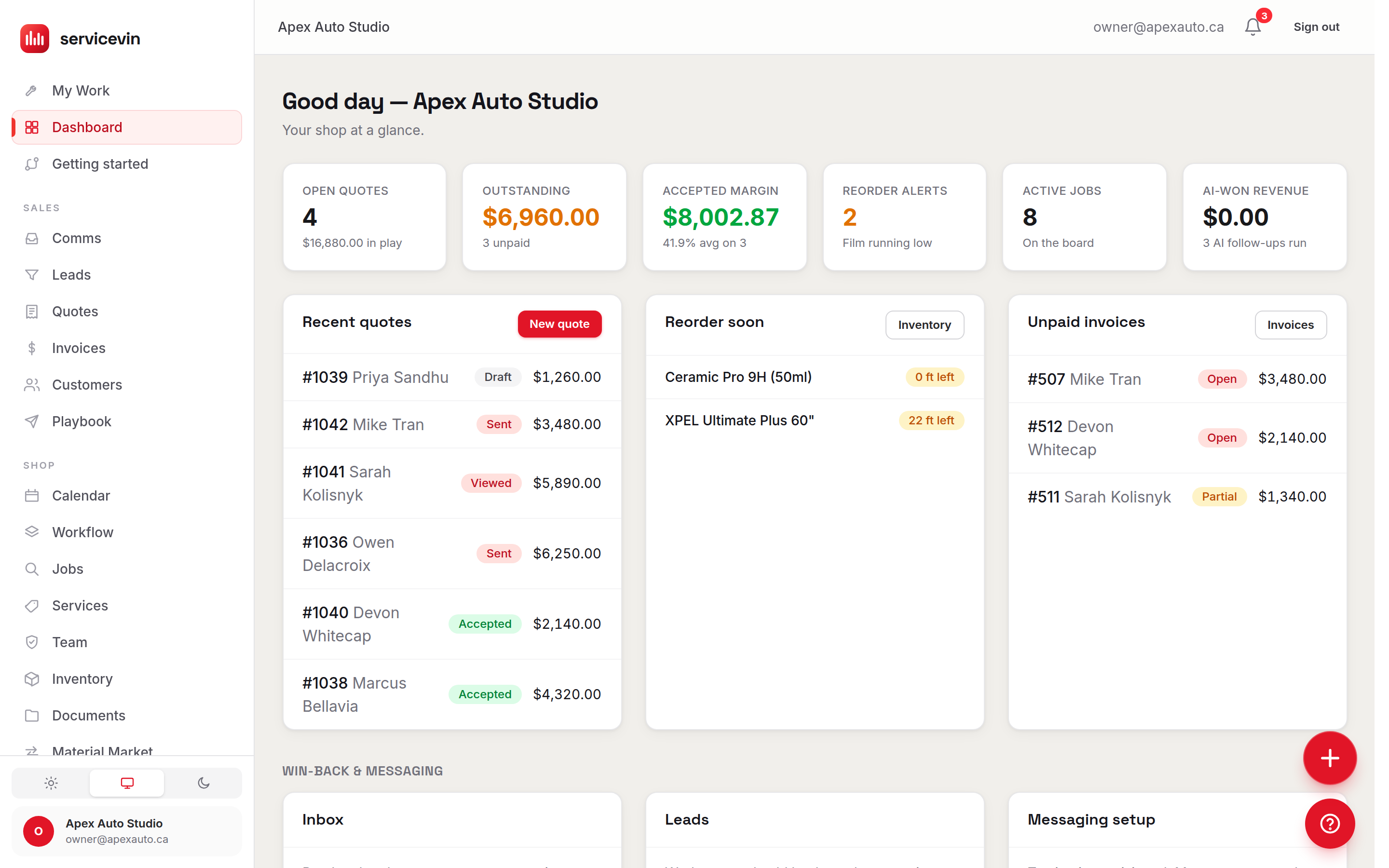
This is what you'd be logging into.
The whole shop, one login
Everything your shop runs on.
One system where a lead becomes a quote, a quote becomes a booked bay, and a finished job becomes a paid invoice and a five-star review.
Quote it, close it, get paid
Live-margin quotes costed from your own rolls, online approval with a deposit, and an invoice that writes itself when the job is done.
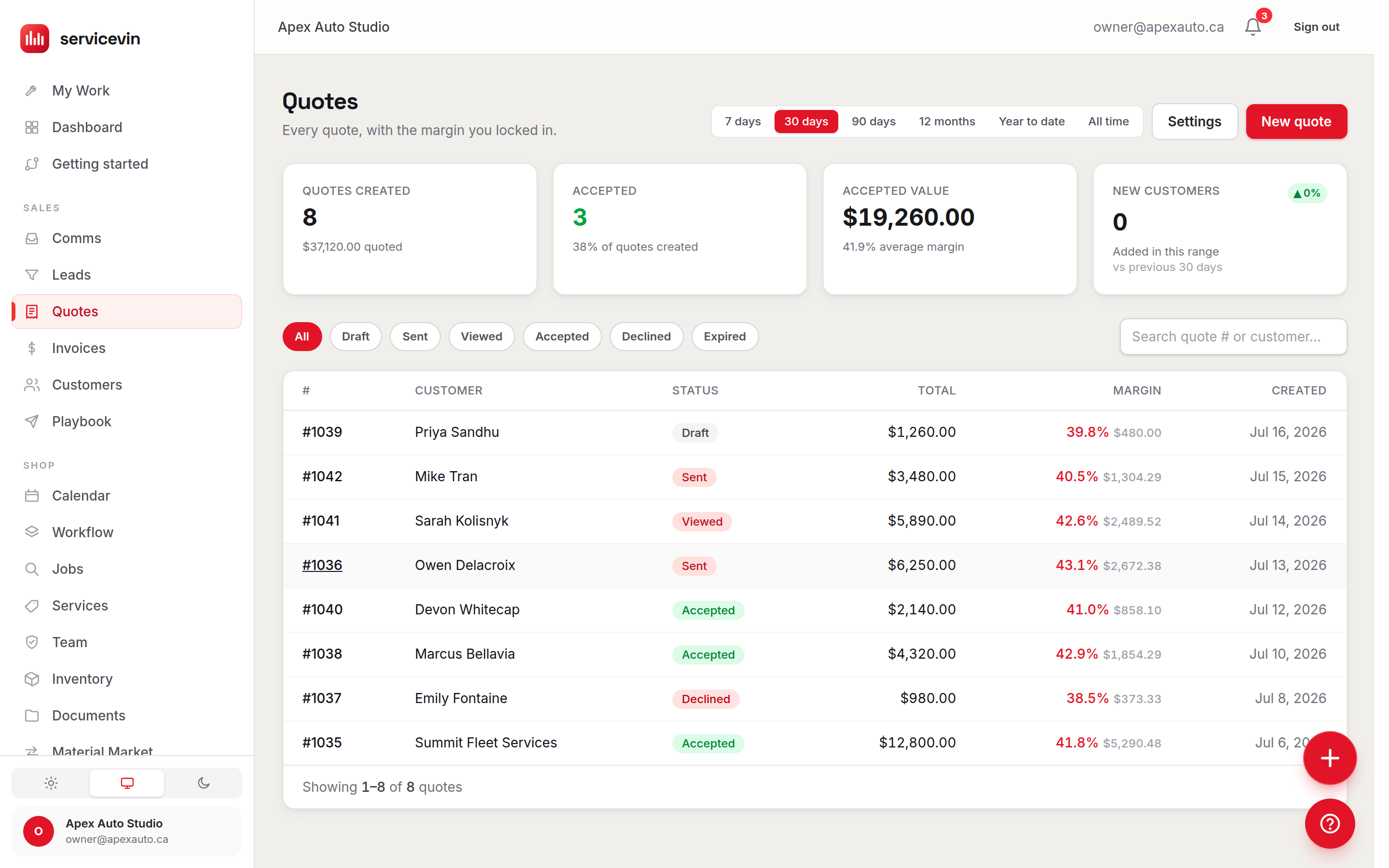
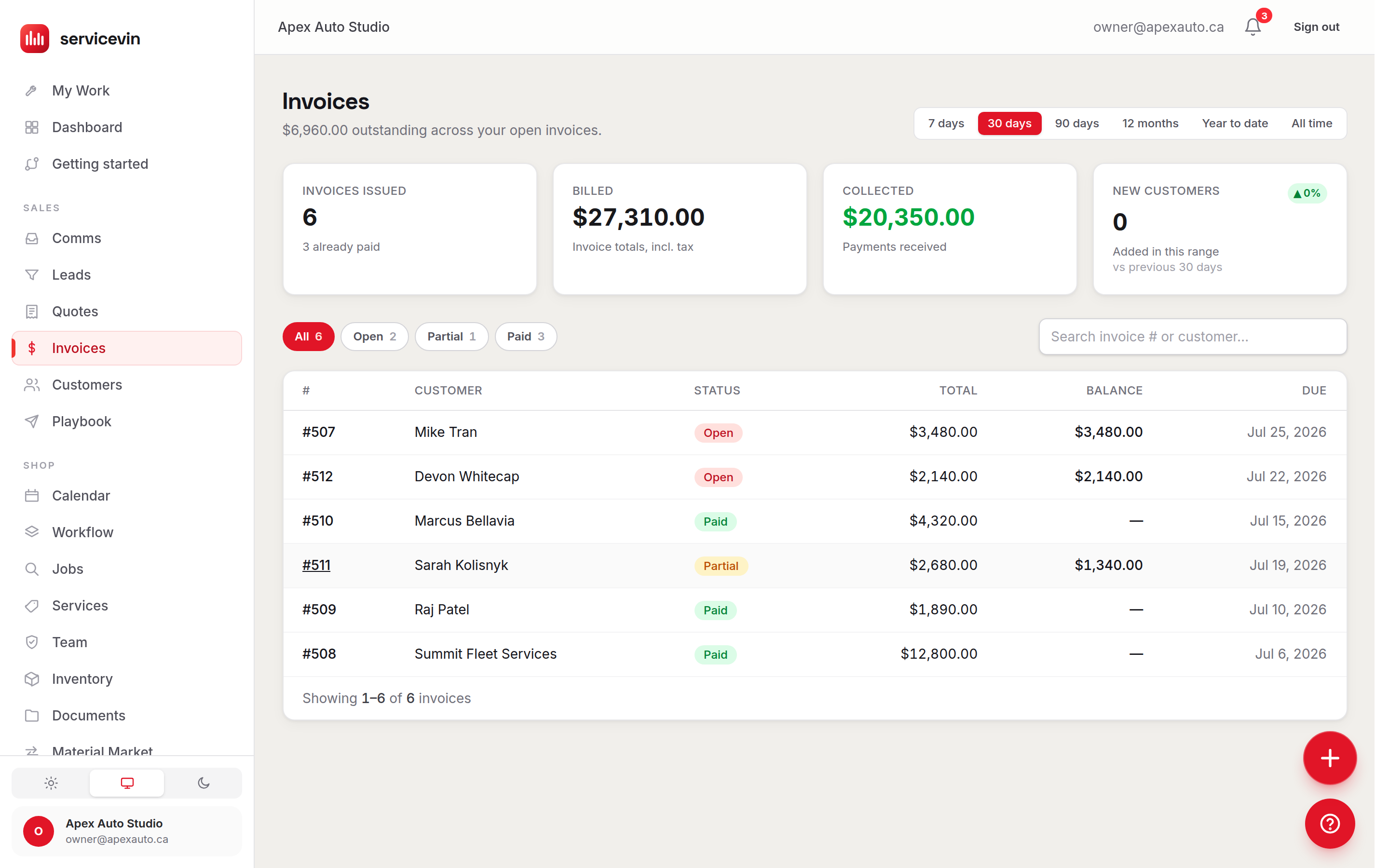
Quotes & Invoicing
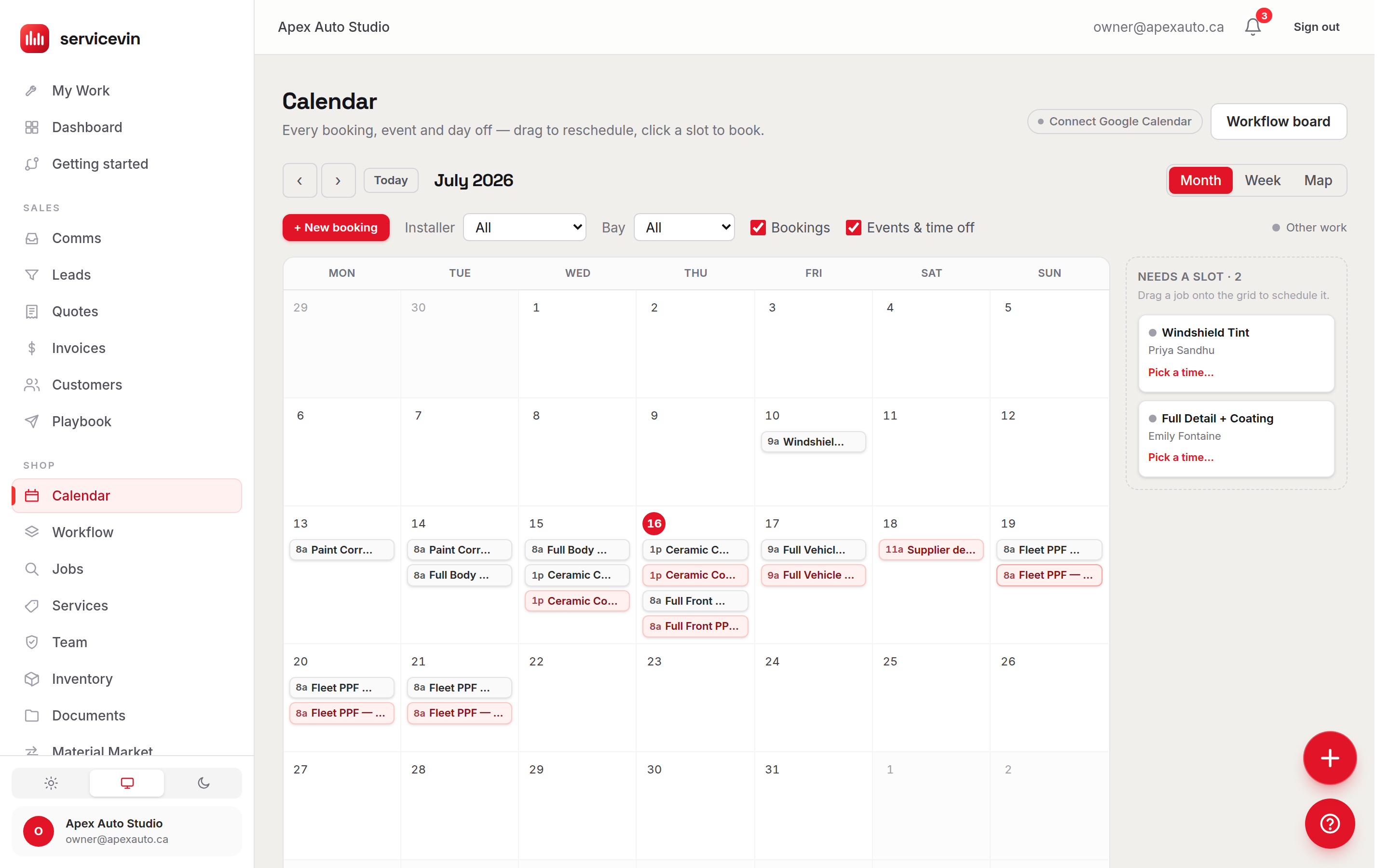
A floor that can't double-book
Drag-and-drop scheduling across bays and techs, 24/7 online booking, and film tracked to the foot with a reorder alert before you run dry.
Roll A-12 · reorder alert at 40 ft — 2 jobs of runway
Calendar & Booking
CRM & Leads
Every lead and conversation in one working inbox
Inventory Management
Film tracked to the foot, margins that tell the truth
Team Management
Roster, skills, availability — tied to real margins
Customer Portal
A branded portal for your customer — not a PDF
Reviews & Reputation
More 5-star reviews, asked at the perfect moment
Reports & Analytics
Revenue, margin and pipeline you can act on
Why shops switch
Six things a job organizer can't do.
A job organizer
Service VIN
Advertising
Records the job after you win it
Campaigns graded in booked jobs
Connect Google Ads and every campaign is graded in booked jobs and paid revenue — then each paid invoice goes back to Google as that click's real value, so bidding learns what a good job looks like. Imported campaigns start report-only, built ones launch paused, and your daily ceiling is never crossed.
AI
Automation you configure and maintain
A crew of eleven named agents
A crew of eleven named agents with real jobs — not a chatbot bolted onto a sidebar. Set each one to autopilot or to draft-first, where it queues the message for your approval. Quiet hours, opt-outs and one shop voice apply either way, and every action lands in a ledger you can read.
The phone
Logs the call, and that's the feature
Missed call, texted back, quoted, booked
The missed call gets a text back. The call you did take gets transcribed — and the quote you promised on it is already drafted. One tap sends it; the customer signs it and pays the deposit online.
Money
Revenue on the invoice, margin later
Margin costed live from your rolls
Quotes costed from the actual roll on your rack, scheduling that ranks open slots by profit, and gross profit on every finished job — not just revenue.
Vehicles
Built around jobs, not around cars
VIN scan, panels, film to the foot
VIN scan fills the vehicle in. Customer Garage keeps every car you've touched. Panel-level quoting, vehicle-size rate matrices, and an installer app your techs will actually open.
Pricing
Your crew is a line item
Flat price, whole crew included
No per-seat tax — add your whole crew for free: unlimited team logins from Growth ($199/mo). AI credits are included, so a typical month costs $0 extra. Prices are on the pricing page, and you're live in an afternoon.
Pricing, in public
One flat price. Bring the whole crew.
Start on the offer, or start on the shop OS — either way the number is on this page and the seats are not metered.
Start here
AI Front Desk
Every missed call answered, quoted and booked into your calendar.
$299/mo
- Every missed call texted back in seconds, 24/7
- The quote you promised, drafted before you hang up
- Bookings written straight into your calendar
- Call recordings, transcripts & one-tap follow-through
Essentials
$79/mo
The whole shop, organized — quotes to invoices to inventory.
100 AI credits/mo · 3 team logins
Growth
$199/mo
AI agents work your pipeline around the clock.
500 AI credits/mo · unlimited team logins
Command
$399/mo
Every call answered, every location covered.
1,500 AI credits/mo · unlimited team logins
- No per-seat tax — add your whole crew for free
- A typical month costs $0 extra
- 14-day trial, no card
Prices in US dollars.
Get the apps
Your shop on your phone. Your crew on theirs.
The owner app keeps the board, the inbox and the day's money in your pocket. The Installer App gives every tech their day, their clock and their pay.
For you
Bookings, texts, reviews and money — with push alerts when something needs you.
For your crew
Their day, their clock-in, their live pay — without ever seeing your numbers.
Add to Home Screen — no app store
Open the link, sign in, add it to the home screen. That is the whole install.
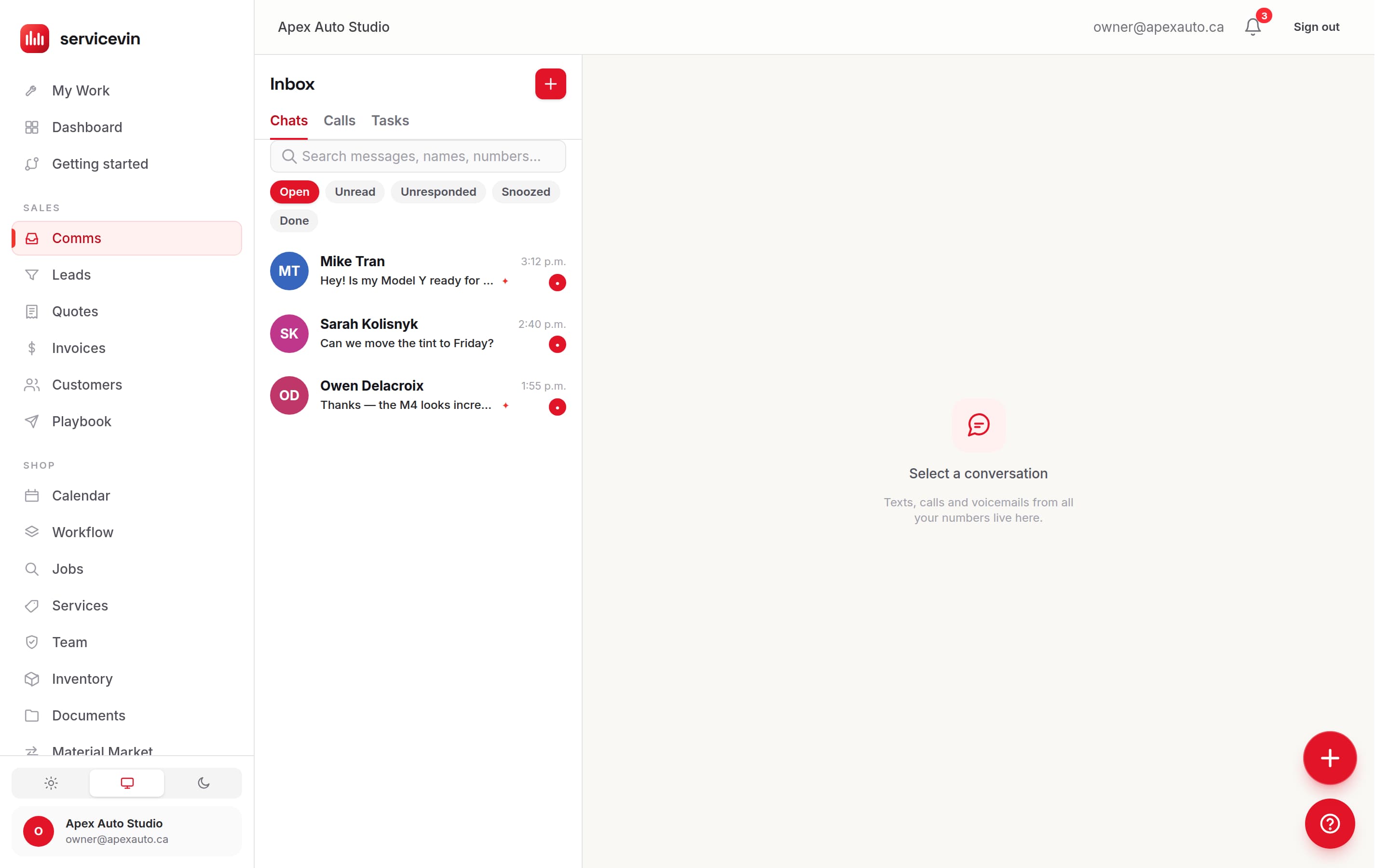
The inbox
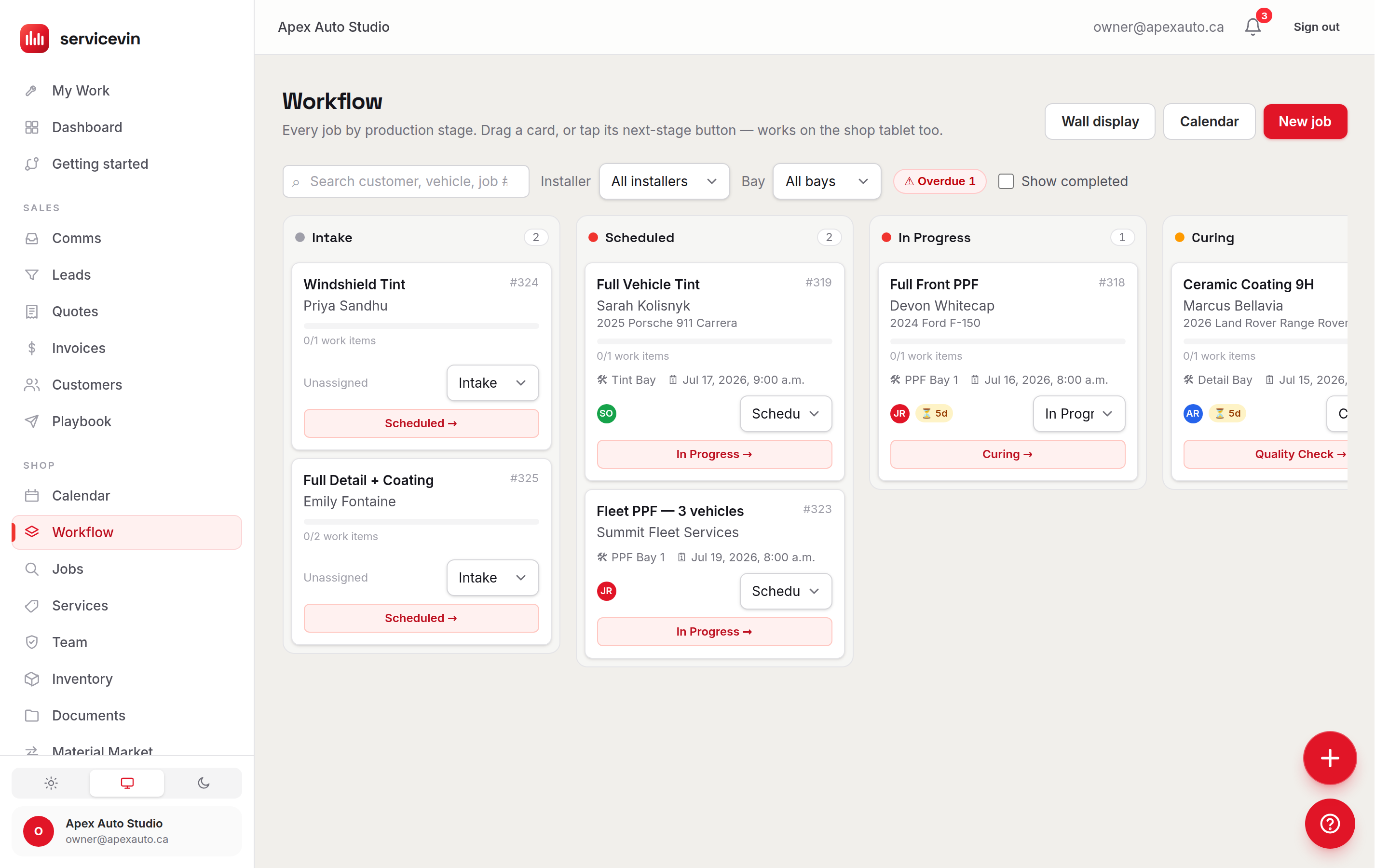
The board
How Service VIN works with your Google account
Service VIN is a web application that detailing, paint protection film (PPF), vinyl wrap, window tint and ceramic coating businesses use to run their day-to-day operations — quoting, booking, scheduling, invoicing, inventory and customer records. Connecting Google is optional. If you choose to, Service VIN asks for your permission through Google's consent screen and uses the access only for the feature you connected:
Sign in with Google
Create your account or sign in with your Google email (basic profile only) instead of managing another password.
Google Calendar
Two-way sync between your booking board and your Google calendar — jobs you book appear there as events, and moving one of those events in Google moves the job to match.
Google Business Profile
Read and reply to your shop's Google reviews from inside the app, and publish updates to your profile.
Google Ads
Connected through Zernio, a third-party advertising-API provider: you authorize Zernio and Service VIN works through it, so no Google Ads permission is requested on the Service VIN consent screen. Our own application covering the two Google Ads permissions remains under review by Google. You can import the ad account you already run to see spend next to booked jobs, and — only if you turn it on — send paid-invoice values back as conversions. Campaigns Service VIN builds are created paused; nothing spends until you enable it.
You can disconnect any Google connection at any time. Our use of Google user data follows the Google API Services User Data Policy, including its Limited Use requirements — the Privacy Policy explains exactly what we access, why, and how it's handled.
Bring your shop over in an afternoon.
Paste your website, approve the shop it proposes, and let the crew chase the rest. No card.
Book a 15-minute demo if you'd rather be walked through it.
Leaving other software? We'll move your book for you — mapped by a real person, silent to your customers.