Go-live target: 48 hours from your file
Switching to Service VIN? We do the migration for you.
Send us the export from whatever you run today and our team loads it for you. You don't map a single column.
Free for 14 days, card required, cancel anytime
Three promises that make moving genuinely low-risk
Changing the tool your whole shop runs on is a big call. These are the three things that take the fear out of it — and each one is real, not a slogan.
Send us anything
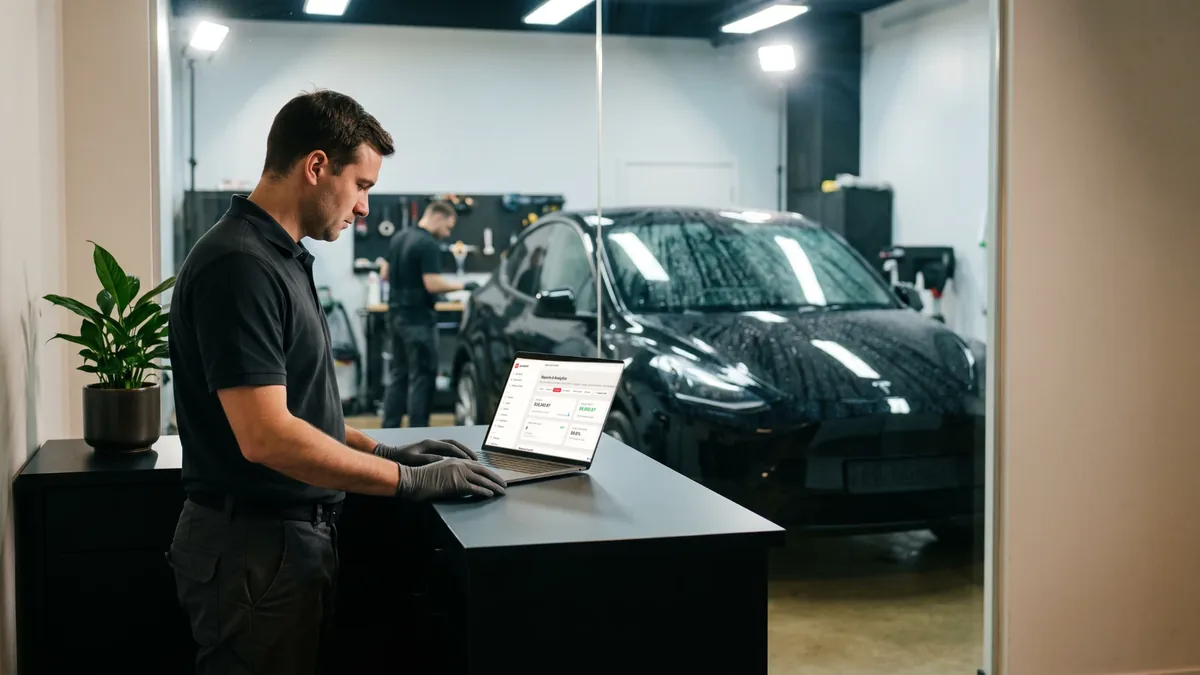
Export a CSV from whatever you run today — Jobber, Housecall Pro, Urable, Tint Wiz, OrbisX or a plain spreadsheet — and our team maps and loads it for you. No importer to learn, no columns to line up yourself. Go-live target is within 48 hours of us getting your file.
Your customers never hear a peep
Importing never messages your customers. No text, email or automation fires when records are added — it's enforced in our code and covered by our own tests, not just a setting we promise to leave off. Your list comes across quietly, and nobody on it gets a surprise "welcome" message.
One-click undo, for 24 hours
Changed your mind on a batch? An import can be reversed for 24 hours after it runs, removing the records it added — as long as you haven't started working them yet. It's a real safety net for the first load, so you can bring your book across without feeling like you've committed before you've even looked around.
Six things a job organizer can't do
The left of each pair is a category, not a company. Pick a topic, or let them play.
A job organizer records the job after you win it
Campaigns graded in booked jobs
Connect Google Ads and every campaign is graded in booked jobs and paid revenue. Then each paid invoice goes back to Google as that click's real value, so bidding learns what a good job looks like. Imported campaigns start report-only, built ones launch paused, and your daily ceiling is never crossed.
- Every paid invoice reported back as that click's real value
- Campaigns are created paused, nothing spends until you say
- EXACT and PHRASE keywords only, never broad
- Imports about 2 years of account history to start
Created paused
Paid invoice to Google
$2,190
the click's real value
Sample dataA job organizer is automation you configure and maintain
A crew of fourteen named agents
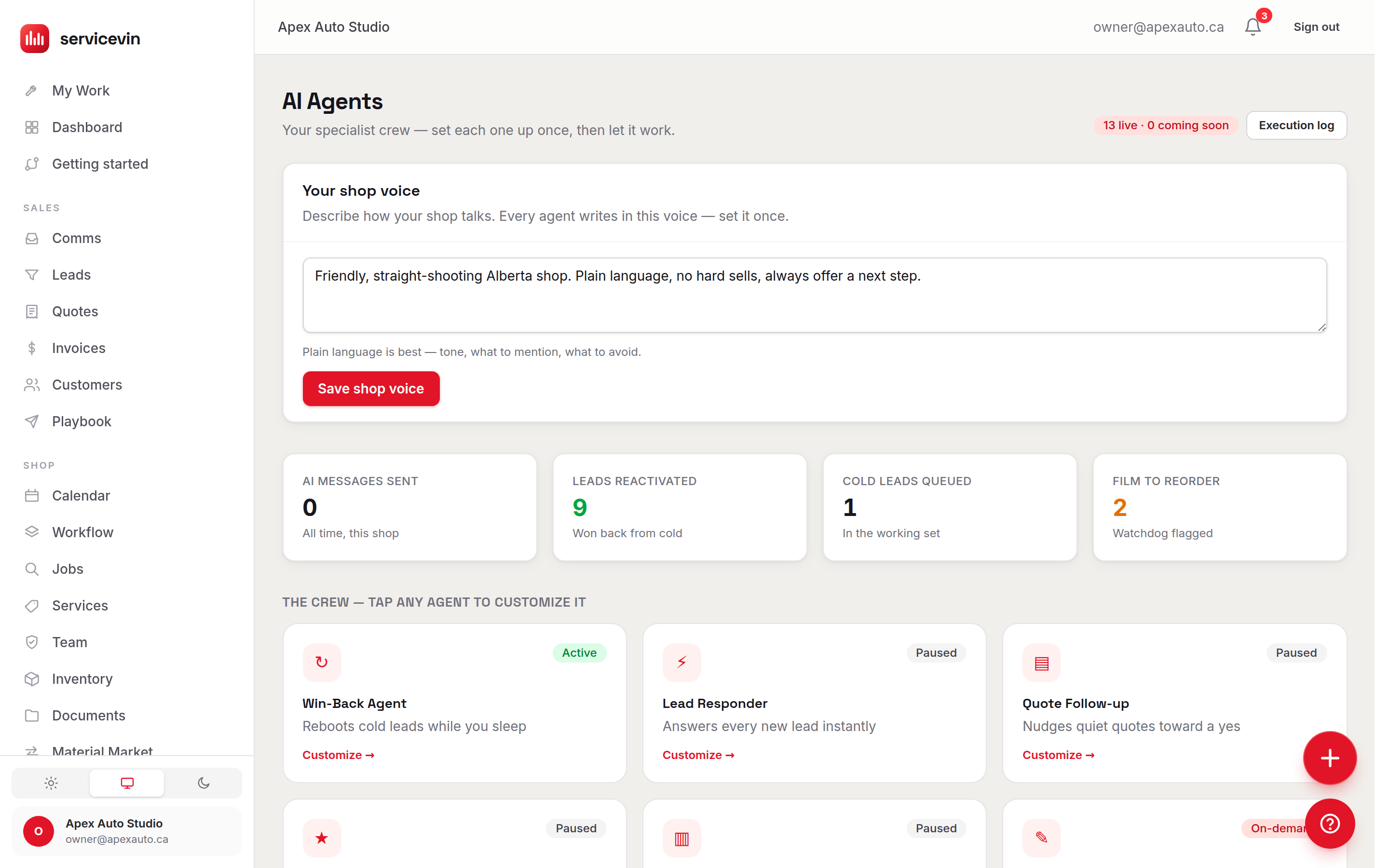
A crew of fourteen named agents with real jobs, not a chatbot bolted onto a sidebar. Set each one to autopilot or to draft-first, where it queues the message for your approval. Quiet hours, opt-outs and one shop voice apply either way, and every action lands in a ledger you can read.
- Autopilot or draft-first, per agent: your choice, changeable any time
- Quiet hours and opt-outs apply to every message, on every mode
- One shop voice, set once, used by the whole crew
- Every action lands in a ledger you can read
Quiet hours respected
Draft-first
Queued for you
every message waits for a tap
Sample dataA job organizer logs the call, and that's the feature
Missed call, texted back, quoted, booked
The missed call gets a text back. The call you did take gets transcribed, and the quote you promised on it is already drafted. One tap sends it; the customer signs it and pays the deposit online.
- A missed call is texted back from your own number, in seconds
- Calls you take are transcribed, with the promise pulled out
- The quote you promised is drafted before you hang up
- The customer signs and pays the deposit online
Texted back in seconds
4s after your missed call
Sample dataA job organizer shows revenue on the invoice, margin later
Margin costed live from your rolls
Quotes costed from the actual roll on your rack, scheduling that ranks open slots by profit, and gross profit on every finished job, not just revenue.
- Live Margin $ and Margin % as you build the quote
- Costed from the film on your shelf, not a guess
- Open slots ranked by profit, not just by the hour
- Gross profit on every finished job
Costed from your shelf
Quote #249, drafted
$2,190
72% margin, costed from the roll on the rack
Example pricesA job organizer is built around jobs, not around cars
VIN scan, panels, film to the foot
VIN scan fills the vehicle in. Customer Garage keeps every car you've touched. Panel-level quoting, vehicle-size rate matrices, and an installer app your techs will actually open.
- A VIN scan fills the year, make, model and trim in
- Customer Garage keeps every car you've touched
- Panel-level quoting and vehicle-size rate matrices
- An installer app your techs will actually open
Every car you've touched
VIN scanned
Model Y, 2025
panels and rate matrix filled in
Sample dataA job organizer makes your crew a line item
Flat price, whole crew included from $199/mo
No per-seat tax — add your whole crew for free: unlimited team logins from Growth ($199/mo). AI credits are included, so a typical month costs $0 extra. Prices are on the pricing page, and you're live in an afternoon.
- No per-seat tax — add your whole crew for free
- Unlimited team logins from Growth
- A typical month costs $0 extra
- 14-day free trial, every price in public
Unlimited team logins
Booked, Thu 9:00 AM
deposit link sent, nobody touched a phone
Sample data14
AI agents working the phones, texts and follow-up
30 min
of admin a shop stops doing on every job
1.5M
sq ft of film installed by shops running Service VIN
How it works
From your export to live, in four steps
A real person on our team runs this — the same import engine, driven by us, so you're never left decoding a spreadsheet mapper on your own.
- Step 1
Send your export
Pull a CSV out of your current tool — or hand us the spreadsheet you already keep. If you're on Urable, Tint Wiz, OrbisX, QuickBooks Online or Zoho Books, we have a native preset; everything else, Jobber and Housecall Pro included, comes across through the any-CSV path.
- Step 2
We map and dry-run it
Our team lines up your columns to Service VIN, runs the import against a preview first, and checks the counts before anything is written for real. You are not the one deciphering which field is which.
- Step 3
You review
You get the mapped result to look over — customers, vehicles and invoice history — before it's live in your account. Anything off, we adjust and re-run. Nothing has messaged a single customer at this point, and nothing will.
- Step 4
Go live
Once you're happy, your book is in and you're taking bookings — target is within 48 hours of us receiving your file. If a batch isn't right and you haven't started working it, one-click undo pulls it back out.
What transfers today
The honest ledger
We'd rather you know exactly what lands in your account before go-live than find a gap afterwards. Here's what moves via import today — and what doesn't move yet.
Transfers today
- Customers — names and contact details
- Vehicles — the cars tied to each customer
- Invoice history — what you've billed
- Job history — past work orders, tied to the right customer
- Leads — your open pipeline, without messaging anyone
Enough to open your account with your real book in it and take your first booking the same day.
Doesn't move yet
- Photos and install galleries
- Quotes and estimates
- Notes and internal comments
- Appointment history
These don't come across via import yet — plan to start them fresh in Service VIN. We say so up front so there are no surprises after go-live.
Native presets pull directly from Urable, Tint Wiz, OrbisX, QuickBooks Online and Zoho Books. Anything else — Jobber and Housecall Pro included — comes across as a CSV export. See the mechanics on the data import page.
See it running with your own book, before you pay a dollar.
Every account starts with a 14-day free trial and nothing charged for 14 days. We'll load your customers, vehicles and invoice history, and you look around Service VIN with your real shop in it. Nobody on your list gets messaged, a first batch can be undone, and you decide after you've seen it work — not before.
Don't want to switch anything yet?
The front desk answers your missed calls, drafts the quote and books the job, with no migration at all. Included on the Operations plan, $299/mo.
Where to start
You can start without moving anything.
Point your existing number at the front desk and it answers every call you miss, drafts the quote and books the job — while your current software keeps doing whatever it does today.
It answers from your real services, your real prices and your real calendar — and writes the booking into them. No migration, no data to move — it runs beside whatever you use today.
Before you commit
How we can prove it before you commit
Three things you can watch happen — or undo — rather than take our word for. None of them needs a testimonial to be true.
You see the dry run first
Every import is run against a preview before a single record is written for real. You get the mapped result — customers, vehicles, invoice history, with the counts — and nothing is live in your account until you have looked at it and said yes.
The silence is tested, not promised
"Importing never messages your customers" is enforced in our code and covered by our own automated tests, not left to a setting somebody remembers to leave off. It is the one switching worry we can answer with a flat no rather than an assurance.
24 hours to change your mind
A batch can be reversed for 24 hours after it runs. It pulls out the records that import added and keeps anything that has since gained a quote, a job or a conversation — so undoing a bad load can never take real work with it.
Questions
Switching, answered straight
How long does switching take?
The go-live target is within 48 hours of us receiving your export. This is a concierge migration — a real person on our team maps your file, runs it against a preview, and loads it for you — so the clock starts when your CSV lands with us, not when you sign up. Simple books go faster; a large or messy export can take a little longer, and we'll tell you if it will. Either way you're not doing the mapping yourself.
Will my customers be messaged when you import them?
No. Importing never messages your customers — no text, no email, no automation fires when records are added. This isn't just a setting we promise to leave switched off; it's enforced in our code and covered by our own automated tests. Bringing your list into Service VIN is silent to the people on it. It's the single most common worry about switching, and it's the one we can answer with a flat no.
What if the import comes in wrong?
Two safety nets. First, we dry-run every import against a preview and you review the mapped result before it's live, so most issues get caught before they land. Second, if a batch does come in wrong, one-click undo reverses it for 24 hours after the run — it removes the records that import added, as long as you haven't started working them yet, and it keeps any record that has since gained a quote, a job or a conversation. So the first load is genuinely low-risk: look it over, and if it's not right, pull it back out and we re-run it.
What data actually transfers?
Being straight with you: customers, vehicles, invoice history, job history (past work orders) and your open leads transfer today. That's enough to open your account with your real book — and your real history — in it and start taking bookings. What does NOT come across via import yet is photos, quotes, notes and appointment history — so plan to start those fresh in Service VIN. We'd rather tell you that up front than have you discover it after go-live. Native presets exist for Urable, Tint Wiz, OrbisX, QuickBooks Online and Zoho Books; anything else, including Jobber and Housecall Pro, comes across as a CSV export.
We're not switching software — we just pay an agency for Google Ads. Still worth it?
That's exactly the shop the Google Ads side was built for. Connect the ad account you already run — read-only — and the account audit and Campaign ROI report come with your plan, no add-on: about two years of history imported, waste flagged in plain English, and every campaign graded in booked jobs and paid invoices instead of clicks. You'll finally see what the retainer actually bought, because unlike an agency report, ours is checked against your own invoices. The free trial includes all of it. If you then want Service VIN to act on it — building campaigns, weekly optimization — that's the Ads Autopilot add-on, and campaigns it builds launch paused under a budget ceiling you set.
Do I pay anything during the migration?
No. You get a 14-day free trial with nothing charged for 14 days, so you can have your book loaded, look around, and test the whole thing before you commit a dollar. You pick which plan those days run on when you sign up, and that plan starts on your card when the trial ends unless you cancel first. Migration help is part of getting you set up — the idea is that you see Service VIN running with your own customers and vehicles in it before you decide, not after.
Will my booking page look like every other shop on your software?
No — and this is the part shops notice about the tool they are leaving. Your booking page will never look like the shop down the street. Choose from six completely different customer-facing designs — Modern, Concours, Apex, Heritage, Showroom and Obsidian — not six colour schemes. One choice per area — booking page, quotes & documents, customer portal, lead forms, emails and pdfs — or one click to put the same design on all six. The flow underneath never changes — same availability, same deposits, same approvals — so picking a design is a look, not a different product with different bugs. Free on every plan, on the 14-day trial included.
Do I have to leave my current tool the day you import?
No — and we'd suggest you don't. Keep running today's tool while your book comes across and you find your feet in Service VIN. Because importing is silent to your customers and a first batch can be undone before you start working it, there's no hard switch-over moment forced on you. Move at the pace that's comfortable, and flip the switch once you're confident.
Want to see the numbers first? Compare every plan on the pricing page.
Send us your export. We'll take it from here.
Start your free trial, hand us the CSV from whatever you run today, and we'll have your customers, vehicles and invoice history loaded quietly, with a go-live target of 48 hours. Nothing charged for 14 days, and a first batch you can undo.