The quote you promised is drafted before you hang up.
Miss a call and it texts back in seconds. Take the call and it's recorded, transcribed and read — so the estimate you said you'd send, the text you promised, the Tuesday you agreed to, are all built from your real price list and waiting for one tap. Other shop software logs the call. Service VIN finishes it.
- You do the talking
- Nothing sends without you
Jordan called about paint protection film for a 2022 Tesla Model 3. Wants the full-front package and asked for an estimate today — interested in booking next week.
Heard on the call: “I'll text you an estimate for the full-front package today.”
One sentence on a call you answered becomes a numbered estimate.
Not a to-do that says “send Jordan a quote”. Scroll the call and watch the promise turn into the thing you promised.
Jordan Full front on the Model 3 — what's that run me?
You I'll text you an estimate for the full-front package today.
Send estimate — Full Front PPF (2022 Tesla Model 3)
Heard on the call: “I'll text you an estimate for the full-front package today.”
Itemised from your service catalog, at your price for this vehicle.
- The call
- The transcript
- The promise
- The draft
Sample dataSample data — an illustration of the screen, not a customer's account.
From ringtone to revenue, in three moves.
One number — the same one your customers already text — now forwards, dials out, records, transcribes and follows through. You just talk.
- 1
You take the call
Inbound calls forward to your cell (and a missed call gets an instant text-back, so the lead never cools). Outbound, tap Call and we ring your phone, then bridge the customer from the shop's number. Both directions recorded. - 2
The copilot listens
You talk like you always do. Minutes after you hang up, the call is transcribed and the AI reads it: who called, what vehicle, what they wanted, what you promised, how it went. - 3
The follow-through appears
Said “I'll send you an estimate”? It's already built from your real price list. Promised a text? Drafted. Agreed on Tuesday? The booking's in your tray. One tap and it's done.
“I'll send that over today” — actually happens.
The most expensive words in a shop are the promises made on the phone and forgotten by dinner. I've made every one of them with a squeegee in my hand. AI Calling hears them and hands you the finished work — not a to-do.
The estimate
A real quote — numbered, itemized from your service catalog with the right per-vehicle price, delivered over your own template with a view-and-approve link. Not a reminder to make a quote. The quote.
The text
The exact message you promised to send, written in your shop's voice. Edit it or send it as-is — opt-outs and quiet hours are checked again at the moment it goes out.
The booking
“Let's do Tuesday morning” becomes a job in your workflow tray, ready for the calendar or the AI Scheduler to place — with the time they asked for attached.
The follow-up
“Call me next week” stamps the lead so your pipeline surfaces it at the right moment — and Campaign Runner's cold-lead win-back drive can pick it up from there.
Call from your cell. Show the shop's number.
Tap Call on any customer and Service VIN rings your phone first, then bridges them in — from the shop's number, not your personal one. The customer sees the number they already know; you get the recording, the transcript and the summary, same as every inbound call.
- One business identity — calls and texts from the same number
- Your personal cell stays private
- Every promise you make on the way out gets drafted too
Place a call
We ring your phone first, then connect the customer from the shop's number. Recorded and summarized.
Sample dataSample data — an illustration of the screen, not a customer's account.
The call lands where the conversation already was.
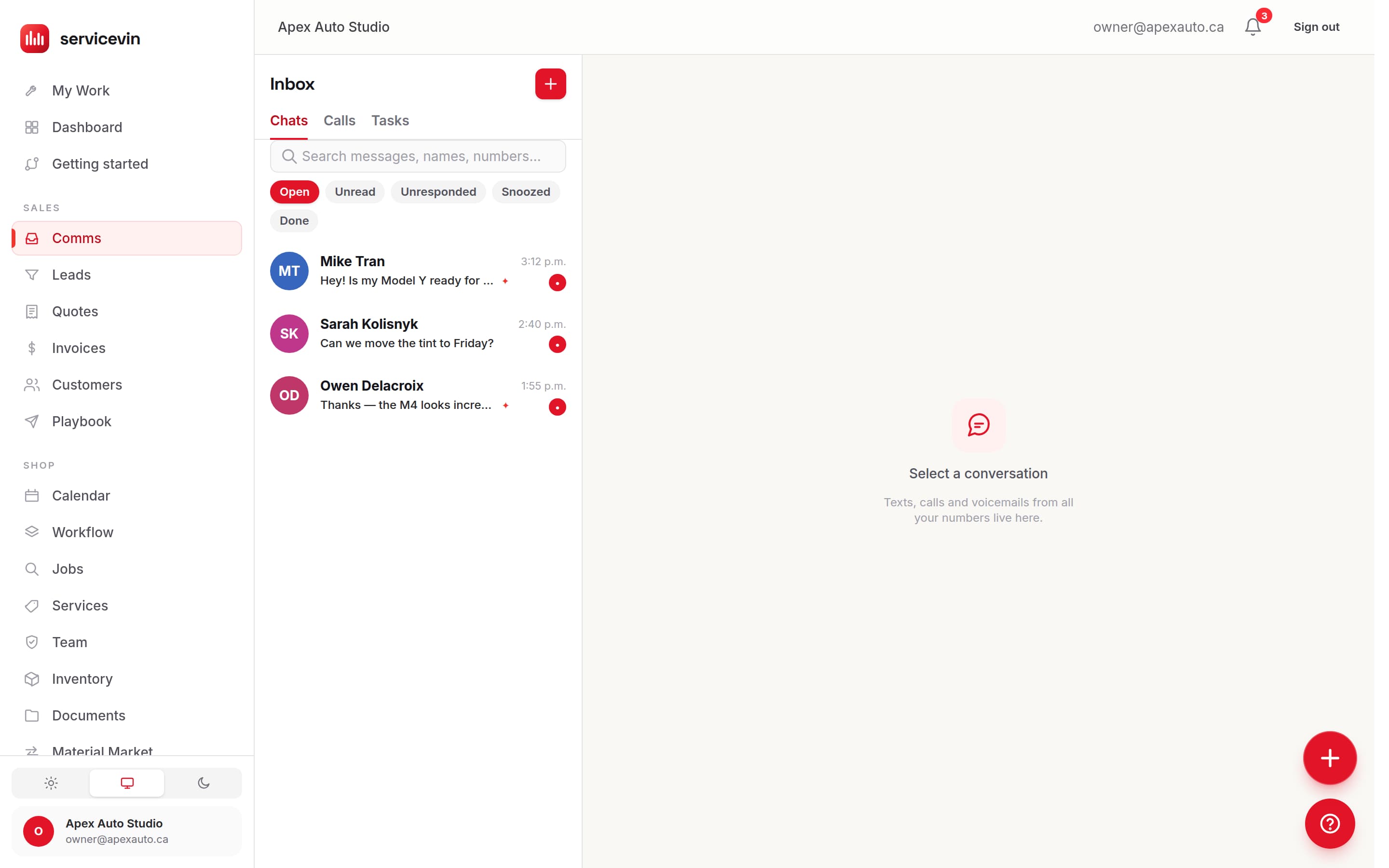
A call isn't a separate system with its own inbox. It arrives in the same thread as the customer's texts, next to the tasks it created — which is why the follow-through has somewhere to go the moment it's drafted.
An AI that does the work. Never behind your back.
AI Calling is built approval-first: it prepares, you decide. Autopilot exists — but only where you draw the line.
Approval-first, always
Every drafted action waits for a human tap by default. Approve, edit-then-approve, or dismiss — and a double-tap can never run something twice.
Autopilot on your terms
When you're ready, let promised texts send themselves, or auto-send estimates under a dollar threshold you set. Everything above the line still asks first.
Revenue you can point to
AI-drafted quotes that customers accept show up on your dashboard as AI-won revenue — so you know exactly what the copilot is closing.
Never a lost lead
Can't pick up? The missed-call text-back reaches the caller in seconds, and every call keeps logging and recording — even when your AI credits run dry.
And when you can't pick up at all?
BetaAn AI voice receptionist — one that answers in your shop's voice, captures the caller's name, vehicle and service, and drops a ready-to-work lead with the full transcript — is fully built into Service VIN and available today as an opt-in beta. We're rolling it out deliberately, because your front desk deserves that care. The copilot never needs it: leave it off and every call you take yourself still gets the full treatment.
Illustrative estimate of how many inbound calls get captured when the beta AI receptionist answers the ones you can't pick up. Not a measured customer average.
| Item | Missed after hours (%) | AI answers (%) |
|---|---|---|
| Calls | 60% | 98% |
Set up the whole thing in one prompt.
Give the AI Setup Assistant your website address. It reads your site and proposes the rest of your shop — contact details, hours, brand colour, your shop voice, quote wording and the agents worth switching on — then walks you through importing your services from your own price list. You review everything, then apply it with one click.
Text-back, AI Calling, or the AI Front Desk?
Three things on this site touch your phone line and they are genuinely different products. Here is the honest split.
AI Calling
You are hereYou want this when you want the calls you DO answer recorded, transcribed, summarised, and the quote you promised drafted for you.
It does not place or answer calls on your behalf; it works on the calls you take.
Missed-Call Text-Back
You want this when you want the caller you missed to hear from you in seconds, by text.
It does not answer the phone. Nobody picks up — this is a reply after the call ends.
AI Front Desk
You want this when you want the whole front-desk job — the text-back, the drafting and the booking — as one monthly offer, running beside whatever software you use today.
It does not require you to migrate anything. Voice answering inside it is a Command-plan beta.
A typical month costs $0 extra. AI Calling is part of Command, which carries the 1,500-credit monthly allowance. The FAQ below has the per-action costs.
Questions, answered.
Does the AI talk to my customers on the phone?
Not unless you opt in. AI Calling is a copilot — you and your team do the talking, exactly like today; the AI does the listening and the follow-through. An AI voice receptionist that answers when you can't is fully built and available as an opt-in beta, and we're rolling it out deliberately. Leave it off and you lose nothing.
Do I need a second phone number?
No. The shop number your customers already text is the same number that forwards calls to your cell, texts back the ones you miss, and places your outbound calls — one business identity for voice and SMS. Click-to-call shows that shop number on the customer's caller ID, never your personal cell.
Can the AI send things without me?
Only if you tell it to. Out of the box every estimate, text and booking waits for your tap on the Inbox's Follow-ups tab. Autopilot is opt-in and granular: promised texts, and estimates under a dollar cap you choose. Everything else always asks.
How do the transcripts work?
Calls are recorded dual-channel and transcribed by Twilio Voice Intelligence within minutes of hanging up — then the same analysis runs on every call, inbound or outbound. (Calls the beta receptionist answers transcribe instantly.)
What about call-recording consent?
Recording rules vary by province and state, and we can't advise you on yours — complying where you operate is your responsibility. What we give you is the switch: recording is per-shop configurable, so you can leave it off entirely and still get the follow-through from summaries alone.
What does it cost to run?
A typical month costs $0 extra. AI work is metered in credits: the post-call analysis costs 5, each drafted follow-through — the estimate, the text, the booking — costs 2, and a call the beta voice receptionist answers for you costs 5. How many credits you get depends on your plan: 100, 500, 750 or 1,500 a month. AI Calling is part of Command ($399/mo), so it comes with the 1,500-credit allowance. Credits refresh monthly, top-up packs never expire, and calls keep logging and recording even at a zero balance.
It doesn't work alone
Where the rest of the follow-through lives
- FeatureMissed-Call Text-BackThe call you couldn't take is a conversation seven seconds later.
- FeatureAI AgentsA crew that chases every promise and never invents a price.
- FeatureAutomationsFollow-ups, reminders and win-backs that run whether or not you remember.
- FeatureLive-margin quotingLive margin on every line, off your real film cost — before you send it.
The follow-up that never happens, happening.
Stop losing the jobs you already talked to.
The promise you made on the phone comes back drafted — the estimate, the text, the booking — before the customer parks the car.
Free for 14 days, no card. Voice answering is a Command-plan beta; everything else here is on by default.