An agent shows "Needs setup"
What the badge on the AI Agents page actually checks, and how to get each agent from Needs setup to Active.
Troubleshooting7 in this section
The badge on each card at AI Agents is a live health check, not a guess. Needs setup means the agent is switched on but something it depends on is missing. Texting agents need the messaging rail live: Twilio connected, a phone number provisioned to the shop, and Automated messaging (A2P) switched on. Voice agents (Missed-Call Rescue, the voice receptionist) additionally need the voice webhook connected to your number. Open the agent's page — its Before it can run card shows exactly which line is red.
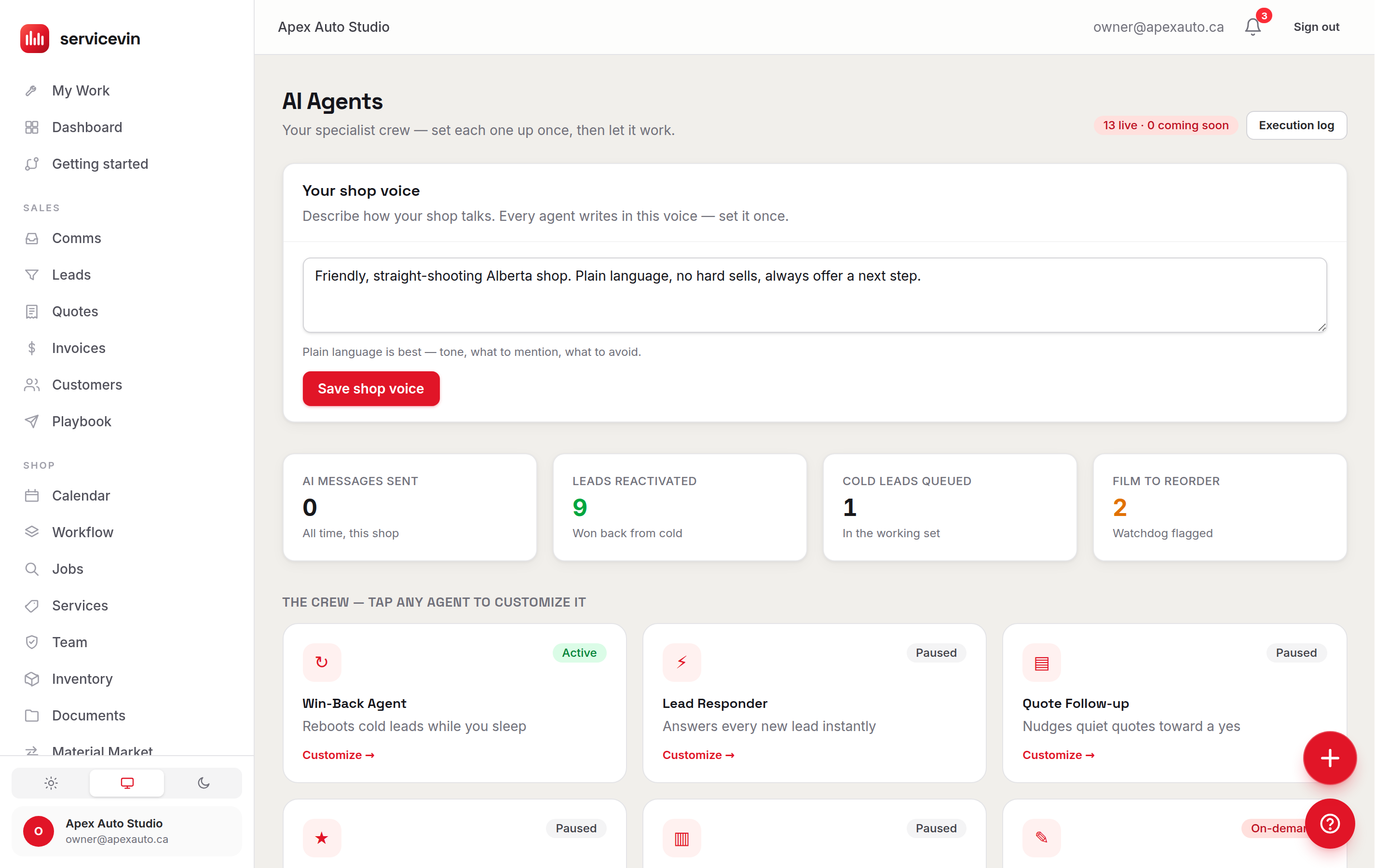
Every badge, decoded
Clearing the badge
- 1
Finish the messaging rail
In Settings → Messaging: connect Twilio (env keys), buy or connect a number, and — after A2P approval — enable Automated messaging. This clears the badge for every SMS agent at once.
- 2
Connect voice, per number
On a voice agent's page, use the Connect voice to this number button — it points your Twilio number's voice webhook at the app. The button stays disabled until Twilio and a number exist.
Troubleshooting
Every SMS agent shows Needs setup at once.
Why: The shared messaging rail is down at one gate — usually Automated messaging (A2P) still off, or no number yet.
Fix: Work through Settings → Messaging top to bottom; the agents' badges all flip together when the rail is live.
A voice agent still needs setup after messaging is fully live.
Why: The voice webhook was never connected — it's a separate, per-number step from SMS.
Fix: Open the agent's page and press "Connect voice to this number". If the button is greyed out, Twilio or the number is still missing.
The Composer, Dash, or the Reorder Watchdog won't turn "Active".
Why: They're on-demand assist agents — there is no Active state to reach.
Fix: Nothing to fix: use them where they live (the inbox AI draft button, the ? widget, the Watchdog's alert history).
Common questions
Is "Paused" a problem?
No — it just means you haven't switched that agent on. Prerequisites are only checked once an agent is enabled; a Paused agent with a broken rail shows Paused, not Needs setup.