The Inbox: text customers from the dashboard
Every SMS conversation in one list — open, snoozed and closed threads, unread dots, AI-managed badges, and a reply composer with an AI draft button.
Sales & front office10 in this section
The Inbox is your shop's SMS home base. Every conversation shows the customer's name, the latest-message snippet, a status badge and how long ago it moved. A blue dot marks threads with unread inbound texts, and an AI badge marks conversations an agent is currently handling. Filter pills across the top — Open, Unread, Unresponded, Snoozed, Done — keep the working list short.
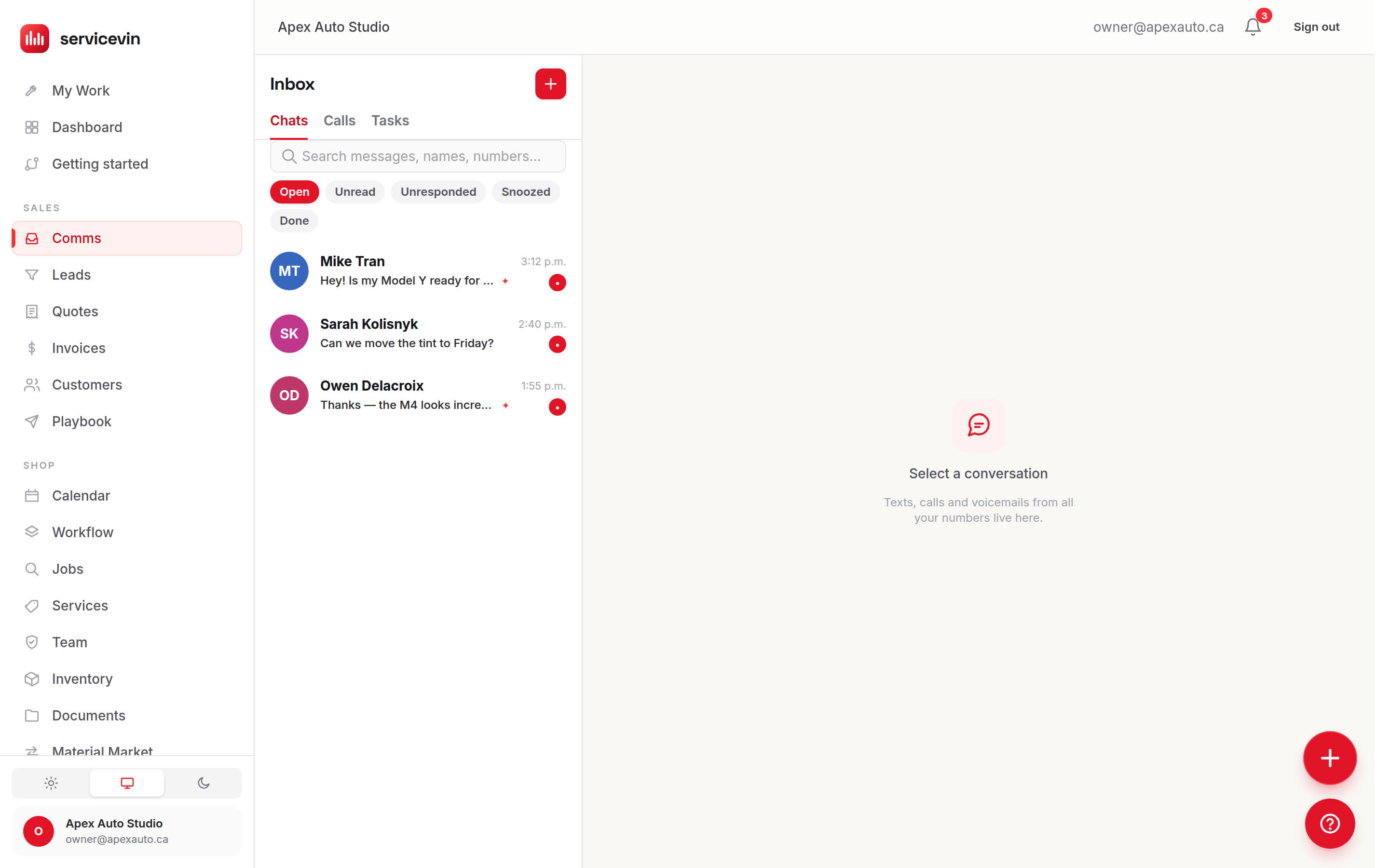
Open a conversation to see the full thread: inbound texts on the left, your replies on the right (with Queued / Sent / Delivered / Failed delivery labels), and an AI badge on any message an agent or AI draft wrote. The Mark done / Reopen header button moves the thread between the Open and Done filters, and a conversation's right-click (or ⋯) menu can Snooze it out of the way — a new inbound text wakes it.
Below the thread sits the composer. The AI draft button writes a suggested reply in your shop's voice — it fills the text box for you to edit, never sends on its own. If your Sales Scripts library has items, a Snippets button opens a searchable picker that drops a script in with the customer's name and your shop details already filled.
When the composer locks itself
The reply box is replaced by an explanation when the customer has opted out (they texted STOP), when there's no phone number on file, or when the shop's Automated messaging toggle in Settings → Messaging is off. Opt-outs always win — there is no override. Manual replies do ignore quiet hours, though: a human answering a customer sends immediately, any time of day.
Troubleshooting
The reply box says "Automated messaging is off. Enable it in Settings to reply."
Why: The per-shop Automated messaging (A2P) toggle is disabled.
Fix: Once your A2P 10DLC registration is approved, enable the toggle in Settings → Messaging.
Sending fails with "No texting number is set up."
Why: Twilio is connected but the shop hasn't bought a sending number yet.
Fix: Go to Settings → Phone system, search available numbers, and buy one ($20/month).
Common questions
What does the AI badge on a conversation mean?
An AI agent is managing that thread — its sends also carry an AI badge on each bubble. You can always jump in and reply yourself; your message goes out like any other.
Does the AI draft button send anything?
No. It only fills the text box with a suggested reply in your shop's voice. Nothing goes out until you press Send, and you can edit or clear the draft first.