Sales Scripts: the words that close
A shop library of scripts, response templates, objection handlers and product one-pagers — searchable, filterable, and one click away inside the inbox composer.
Sales & front office10 in this section
Sales Scripts keeps your shop's best words in one library, in four kinds: Scripts (openers and follow-ups), Templates (reusable responses), Objection handlers (price, timing, "thinking about it", DIY comparisons), and Knowledge (product one-pagers for PPF, wrap, tint, ceramic and detailing). Kind tabs, a category dropdown and search filter the library; every item shows its category, tags and how many times it's actually been used. Managers author and edit; everyone on the team can read.
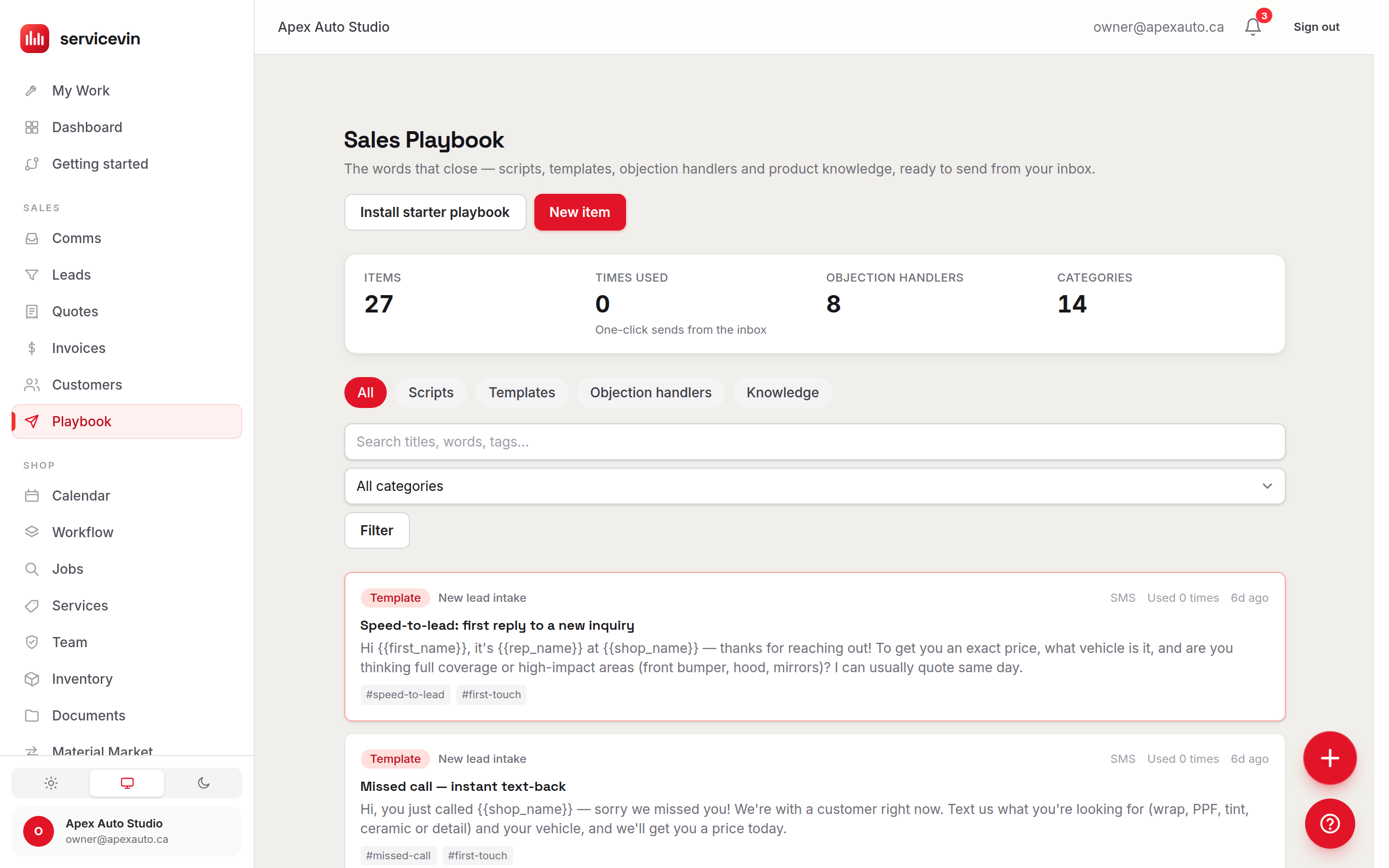
Getting a library fast
- 1
Install the starter scripts
On an empty library, one button installs a prebuilt set of scripts, follow-ups, objection handlers and one-pagers written for wrap, PPF, tint, ceramic and detailing shops.
- 2
Make it yours
Edit anything — every shop's voice is different. Starter items keep a small Starter badge so you can tell them from your own.
- 3
Add your own
New item creates a script from scratch. Use
{{first_name}},{{shop_name}}and friends in the body — they're filled in automatically at send time.
The payoff is in the Inbox: the reply composer grows a Snippets button whenever the library has SMS-usable items. It opens a searchable picker grouped by category; one click drops the script into the text box with the variables already filled from that conversation — customer name, shop name, shop phone, your name — and you can still edit before sending. Each send is recorded, so the "Used n times" counts show which words actually work. Knowledge one-pagers are reference material and stay out of the picker, as do email-only items.
Troubleshooting
There's no Snippets button in the inbox composer.
Why: The library has no SMS-usable items — it's empty, everything is email-only, or only Knowledge one-pagers exist.
Fix: Install the starter scripts or add at least one script/template/objection with channel SMS (or SMS + email).
The Install starter scripts button seems to do nothing new.
Why: The starter set is already installed — reinstalling never duplicates items.
Fix: Nothing to fix; the banner will say "already installed". Edit the existing starter items instead.
Common questions
Do script sends go out verbatim?
No — picking an item only fills the composer, with the {{variables}} already rendered. You see the final text and can edit every word before pressing Send.
Can my techs edit the scripts?
Anyone in the shop can read and send from it, but authoring (New item, editing, installing the starter set) is manager-only.