The Film Exchange: buy & sell film between shops
A peer marketplace across the Service VIN network — buy small quantities in, sell excess stock out, and confirm every sale yourself.
Shop operations11 in this section
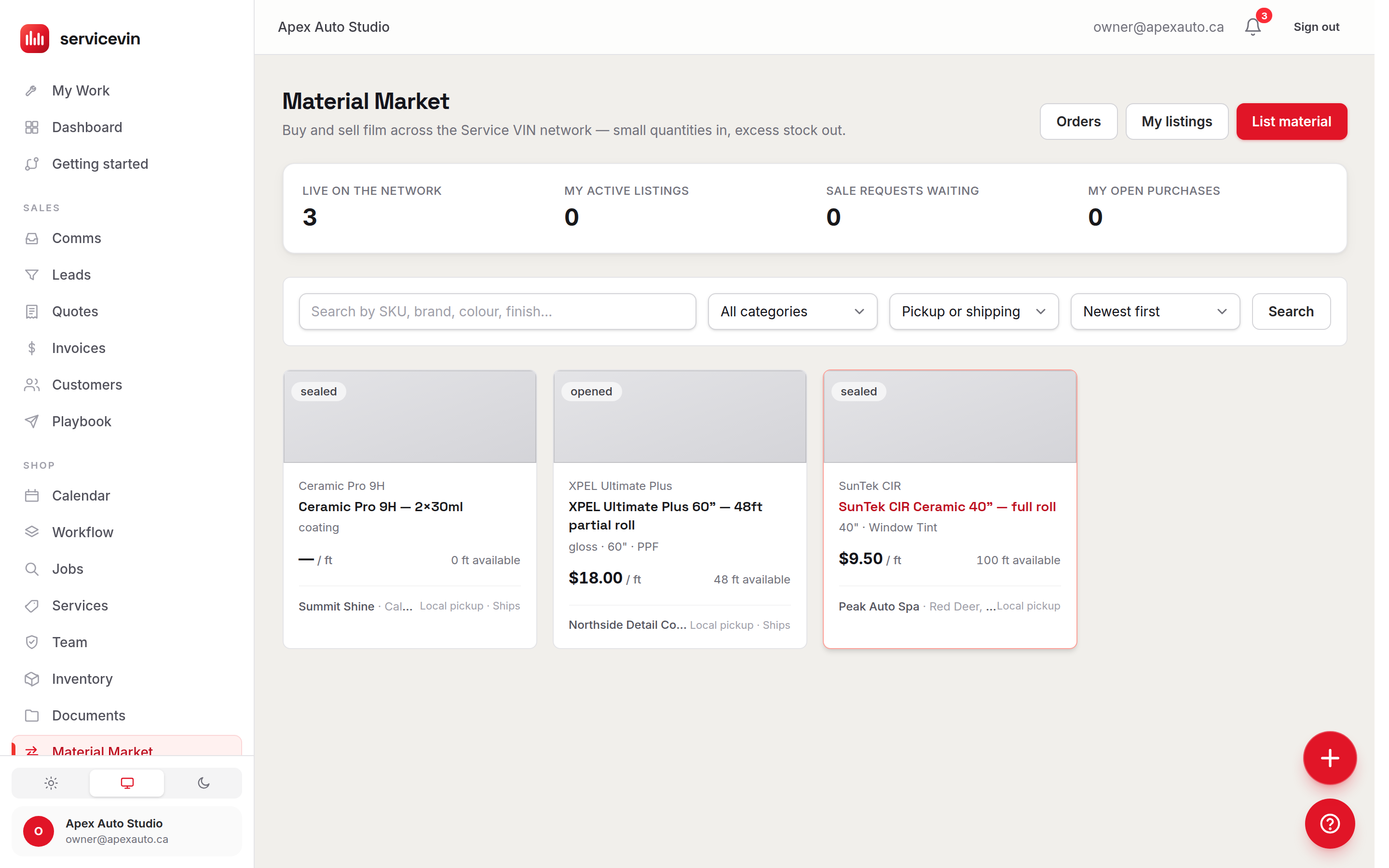
The Film Exchange connects your shop to every other shop on the Service VIN network: post excess rolls for sale, or pick up the 15 feet of a discontinued colour you need without buying a full roll. Browse with search (SKU, brand, colour, finish), category and fulfillment filters — local pickup or shipping — and sort by newest or price. Your own listings never appear in your browse view; they live under My listings.
Buying and selling
- 1
Buy: send a purchase request
Open a listing and request the footage you need, with an optional note to the seller. The request sits in pending until the selling shop responds — nothing moves without them.
- 2
Sell: list material and confirm sales
List material posts a roll or offcut with price per foot and fulfillment options. Incoming requests appear under Exchange Orders — and on the listing itself — where you confirm or decline every sale. A badge on the Orders button counts requests waiting on you.
- 3
Receive: land it in inventory
When a confirmed purchase arrives, hit Mark received on the order — the material is created as a roll in your Inventory, carrying its purchase cost, ready to draw down against jobs.
An order's life
Good to know
The exchange tracks listings, requests and receipts — it doesn't move money. Price and payment settle between the two shops directly, which is also why every sale needs your explicit confirmation.
Troubleshooting
My purchase never arrived in inventory.
Why: Received stock is only created when you press Mark received on the confirmed order.
Fix: Open Exchange Orders, find the order under Purchases, and mark it received — the roll appears in Inventory immediately, with a link back from the order.
An order I placed has sat in pending for days.
Why: The selling shop hasn't confirmed or declined yet — nothing proceeds without them.
Fix: Reach out to the seller directly; if they never respond, cancel your interest and buy elsewhere on the network.
Common questions
Can a sale happen without my approval?
No. Every incoming request waits in pending until you confirm or decline it — the Orders badge on the exchange page shows how many are waiting on you.
Who sees my listings?
Every other shop on the Service VIN network — but not you in your own browse view. Manage them under My listings, and pause or close them there.