Invoices & getting paid
Invoices are born from accepted quotes, track their outstanding balance, and collect online through the customer portal's Stripe-powered Pay now.
Sales & front office10 in this section
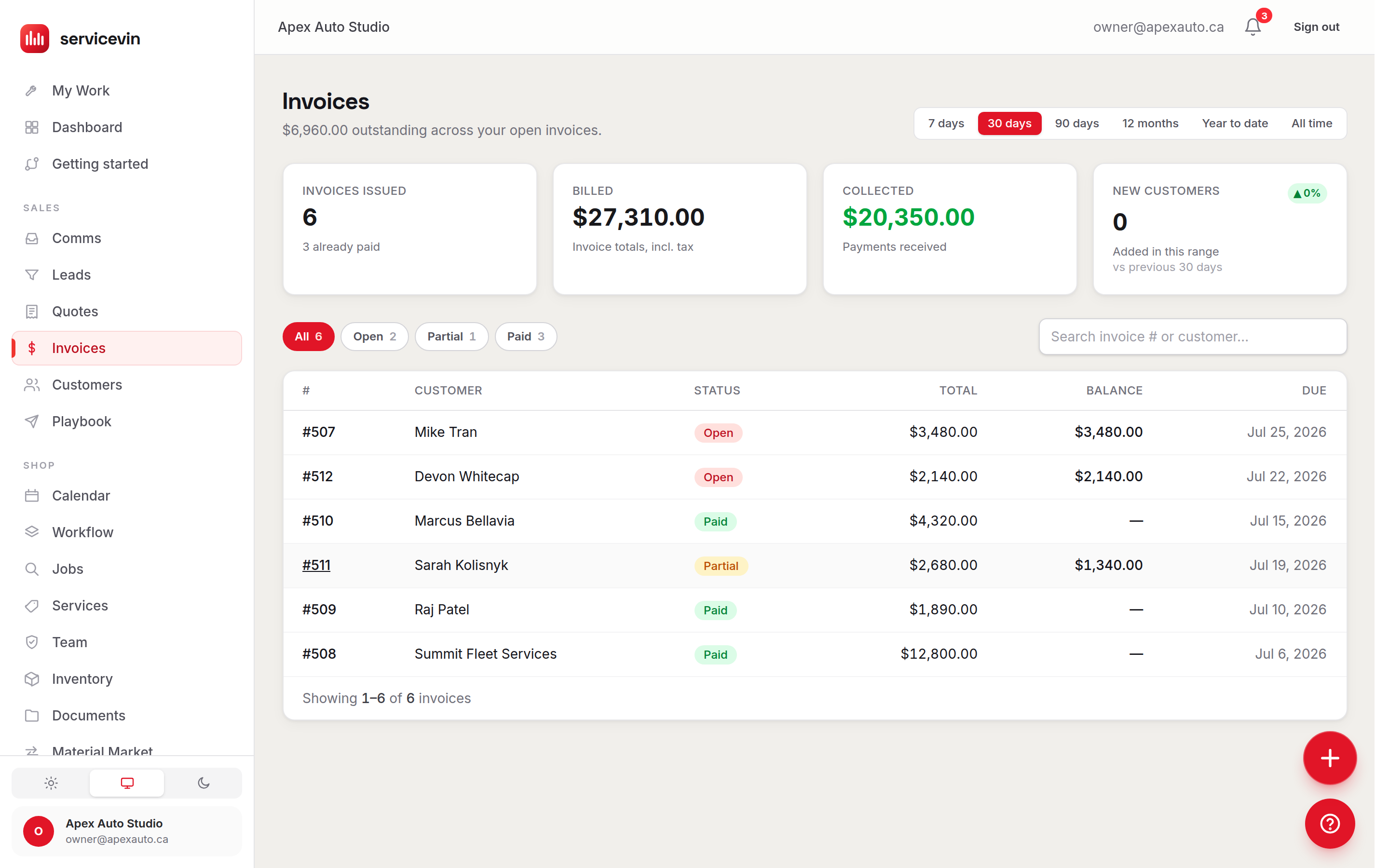
Invoices in Service VIN come from accepted quotes — either automatically (the auto-convert toggle in Settings → Quotes, on by default) or via the accepted quote's convert action. That keeps the money math proven once: the invoice snapshots the quote's lines and totals. The Invoices list shows each invoice's status, total, remaining balance and due date, and the page header totals what's outstanding across all open invoices.
An invoice page carries the line snapshot, a payments ledger (each payment marked Stripe or Manual), and a balance card that flips from amber to green as money lands. Send invoice to customer texts/emails a secure portal link; on it, the customer presses Pay now and is redirected to a hosted Stripe Checkout for the current balance. Cash, e-transfer or card-on-terminal money goes in through Record a payment, which pre-fills the remaining balance and supports partials.
Troubleshooting
An invoice shows an "Overpaid" warning.
Why: Two payments landed for the same balance — usually an online payment completing after a manual one was recorded.
Fix: Refund the difference to the customer, then record the refund against the payment.
Common questions
Can I create an invoice from scratch, without a quote?
No — invoices are created from accepted quotes so pricing, tax and margin are proven before billing. For ad-hoc work, build a quick quote and accept it.
Do partial payments work?
Yes. Manual payments can be any amount up to the balance, the invoice moves to Partial, and the portal's Pay now always charges whatever balance remains.