Customer records: one page per customer
The customer book — lifetime value, VIP and at-risk flags, and a full record page with timeline, vehicles, warranties, referrals, notes and contact preferences.
Sales & front office10 in this section
Customers is the shop's book of business. The stat strip on top shows your customer count, book value (everything collected across invoices), VIPs (flagged by you — the purple ★), and at risk (customers with real history who've gone quiet for 12+ months). Filter chips slice the list the same way, search matches name, phone or email, and each row shows vehicles, last activity, status, and lifetime value with any outstanding balance flagged beneath it.
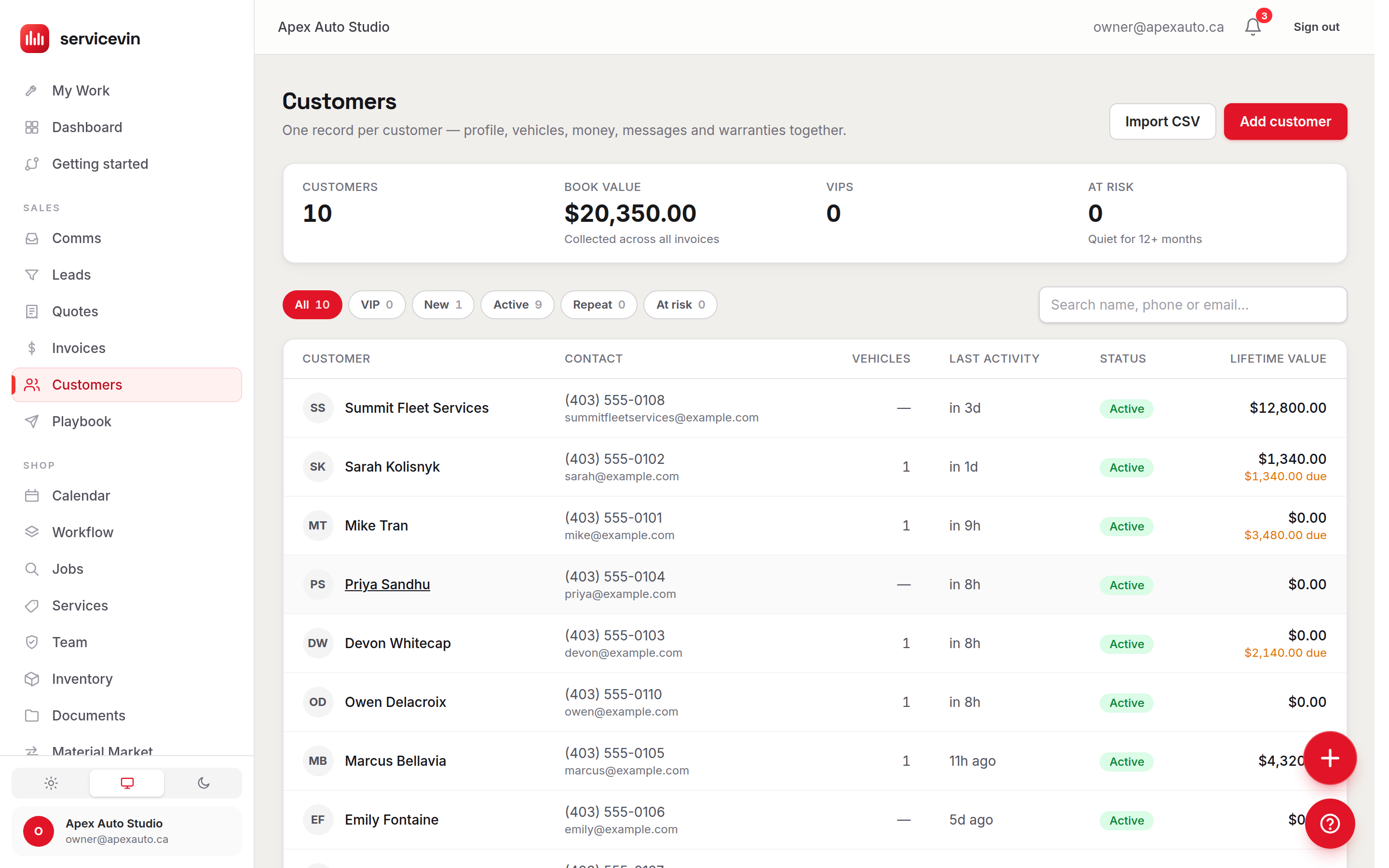
The derived statuses
Open a customer for the full record: a header with the VIP badge and status, then an activity timeline across quotes, invoices, jobs and messages, the garage (vehicles plus their warranties), documents, and pinnable notes. Sales context lives here too — a referred-by picker with the customer's own referrals and the revenue they've brought in, a preferred-contact channel (Text / Email / Call), and preference switches for SMS opt-out and marketing consent that every automated send respects.
Bringing an existing list in
The Import CSV button (also reachable at /customers/import) takes you to the Data Import center, which handles customers, vehicles and invoice history with source presets and a validation report before anything is written.
Troubleshooting
A long-time customer shows Lifetime value $0.
Why: Lifetime value is computed from invoices in Service VIN — history that was never imported doesn't count.
Fix: Import past invoices through the Data Import center, or accept that LTV starts from your go-live date.
A customer you know exists isn't in the list.
Why: The list shows the 500 most recent customers; older ones aren't rendered by default.
Fix: Use the search box — search covers everyone, not just the visible rows.
Automated texts skip one particular customer.
Why: Their SMS opt-out switch is on (they may have texted STOP), or marketing consent is off.
Fix: Check the preference switches on their record — and only flip them back with the customer's actual consent.
Common questions
Who decides who's a VIP?
You do — VIP is a manual star on the record, not a computed status. Use it for whatever "take extra care" means in your shop; the list filter and record header both surface it.
What makes someone "at risk"?
Real history (at least one job) plus 12+ months of silence. It's the built-in win-back list — pair it with lead reactivation to bring them back.