The Quo inbox integration
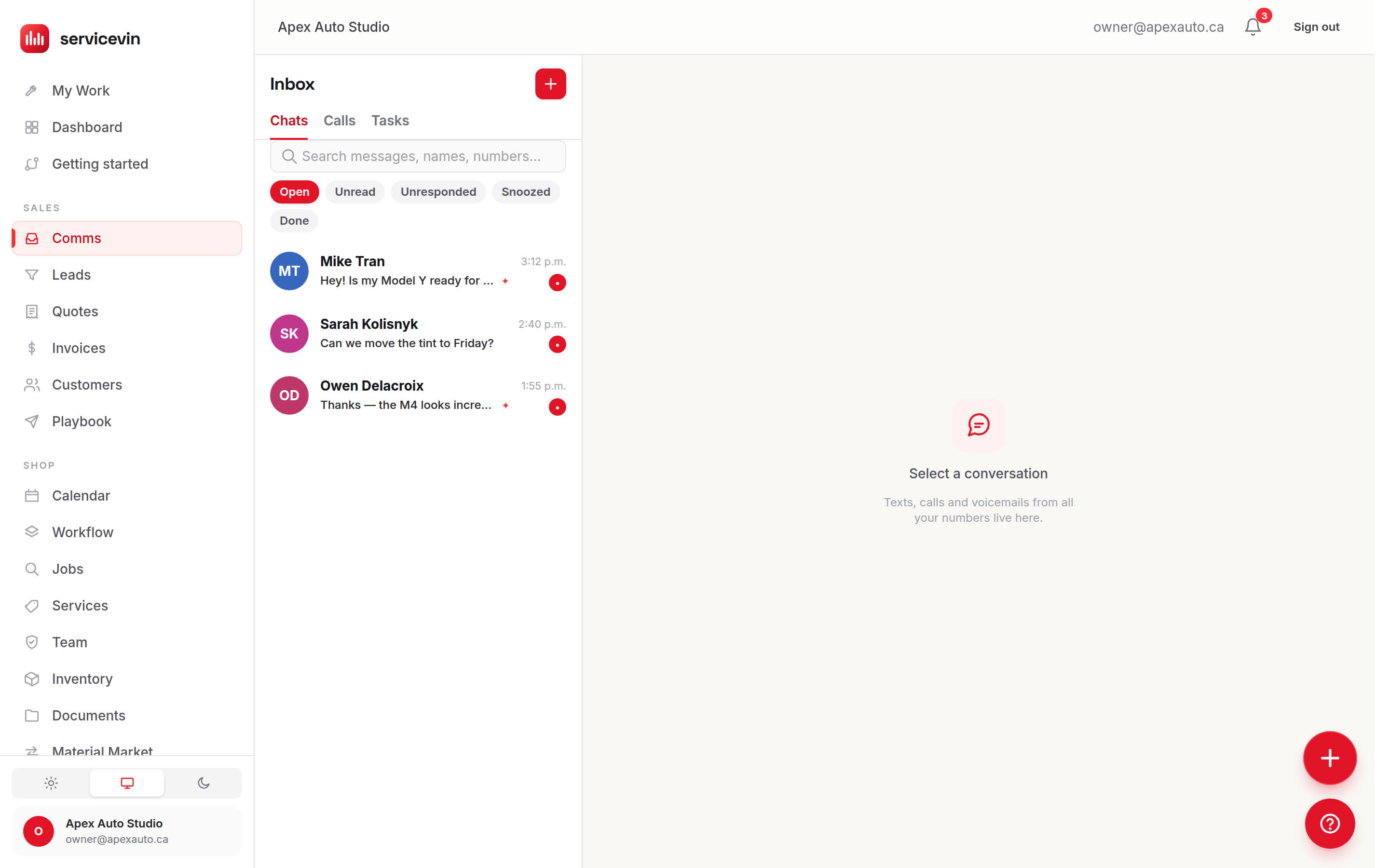
Bring your real business phone numbers into Service VIN — every text, call, voicemail, recording and transcript lands in the Inbox, next to the customer's quotes and jobs.
Settings & integrations10 in this section
Quo (quo.com, formerly OpenPhone) is a business phone system — real numbers for texting and calling, with shared team inboxes, voicemail transcripts and AI call summaries. Settings → Quo phone system links your Quo workspace to Service VIN so every number, text, call, voicemail, recording and transcript lives inside the Inbox, right beside the customer's quotes, garage and jobs. Connect once and your real business line replaces the do-everything-elsewhere phone tab.
This is different from the Twilio texting rail on Settings → Messaging. Twilio provisions a fresh number for automated messaging; Quo brings the numbers you already use — the one on your business cards — into the same Inbox. You can run either or both: each conversation remembers which line it's on and replies go back out on that same number.
Connect your Quo workspace
- 1
Generate a workspace API key
In Quo, open my.quo.com → Settings → API — you must be a workspace owner or admin. Click Generate API Key, label it something like
Service VIN, and copy it. Any paid Quo plan includes API access. - 2
Paste it into Service VIN
On Settings → Quo phone system, paste the key into the Quo API key field and click Connect workspace. We never show the key again and store it encrypted.
- 3
Let the first sync run
We validate the key by listing your numbers, register webhooks so new activity streams in live, mirror each number as an inbox line, then backfill recent conversations, calls, voicemails, recordings, transcripts and contacts. The page flips to Connected and your numbers appear under Your inboxes once the first sync finishes.
One Quo number = one inbox in Service VIN
Each of your Quo numbers shows up as its own inbox line — same colored dot and name as in Quo — and the Inbox has an inbox pill per line plus an All inboxes rollup. New texts and calls arrive through Quo webhooks within seconds; a background sync every 10 minutes catches anything missed.
What syncs, and where it shows up
Texting from Service VIN goes out on your real Quo number and shows up in the Quo apps too, so nothing gets out of step. Marking a thread read or done in Service VIN pushes back to Quo (and vice-versa) — the Inbox's Open / Unread / Unresponded / Done filters are Quo's exact lenses. On top of that you get the Service-VIN-only extras in the contact panel: lifetime revenue, the customer's garage, open quotes, next job and lead stage.
Calls happen in the Quo apps, not the browser
Quo's API can't place calls, so Service VIN can't dial from the browser on a Quo line. The Call buttons fire a tel: link (with the Quo desktop app set as your default calling app, that dials through Quo from the thread's own number), and Open in Quo deep-links the exact conversation. Every call, both directions, still mirrors into the thread within seconds.
Managing the connection is manager-gated. When you're done, Sync now forces a fresh pull and Disconnect revokes the webhooks and removes the API key. Disconnecting hides the Quo lines from the Inbox rail but keeps every synced conversation — your history stays browsable, exactly like disconnecting an accounting sync.
Troubleshooting
"Quo rejected that API key."
Why: The key is wrong, was revoked in Quo, or was generated by someone without owner/admin rights.
Fix: Generate a fresh key at my.quo.com → Settings → API as an owner or admin, then paste it exactly — no extra spaces.
The page shows "That workspace has no phone numbers yet."
Why: The Quo workspace behind that key doesn't have any numbers.
Fix: Add a number in Quo first, then reconnect — Service VIN mirrors whatever numbers the workspace has.
Connected, but numbers never appear under Your inboxes.
Why: The first sync hasn't finished, or the background worker isn't running.
Fix: Give the backfill a moment, then hit Sync now. Numbers appear here after the first sync completes.
Call summaries and speaker transcripts are always empty.
Why: Those AI fields require Quo's Business plan; on lower plans they degrade to blank.
Fix: Voicemail transcripts still sync on any plan. Upgrade in Quo if you want AI summaries and speaker transcripts.
Common questions
Do I need a new phone number?
No — that's the point. Quo brings the numbers you already use into Service VIN. (Twilio, on Settings → Messaging, is the option that provisions a brand-new number for automated texting.)
Which Quo plan do I need?
Any paid Quo plan includes the API access we use, so texts, calls and voicemail transcripts all sync. AI call summaries and full speaker transcripts need Quo's Business plan — on lower plans those fields just stay empty, nothing else changes.
Can I still send texts before Quo is connected?
Yes, via the Twilio rail if it's set up. Quo and Twilio coexist — each conversation stays on its own line and replies go out on that same number.
What happens to my history if I disconnect?
The Quo lines drop off the Inbox rail and syncing stops, but every conversation, call and transcript already pulled in stays browsable. Reconnect any time to resume.
Where do I generate the API key?
In Quo at my.quo.com → Settings → API — you must be a workspace owner or admin. Click Generate API Key, label it, and paste it into Settings → Quo phone system.